

This section contains the installation procedure for the ServiceNow Connector application.
Install the ServiceNow Connector app developed by appserve.ai on your monday platform to synchronize the data between ServiceNow and monday.com platforms. This integration enhances team collaboration, driving better results and faster project delivery.
If you subscribe and unsubscribe on the same day, it will have no impact on the billing cycle of the app.
Follow the below steps to install the application:
Step 1: Login to monday.com.

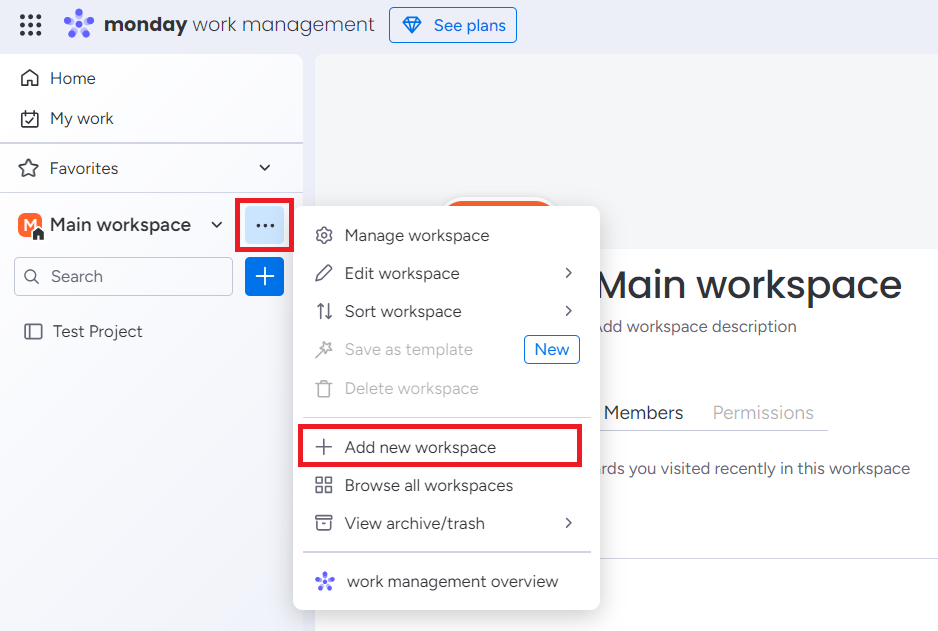
Create a new workspace for the ServiceNow Connector app.
Step 2: Click on dropdown and click on Add new workspace.
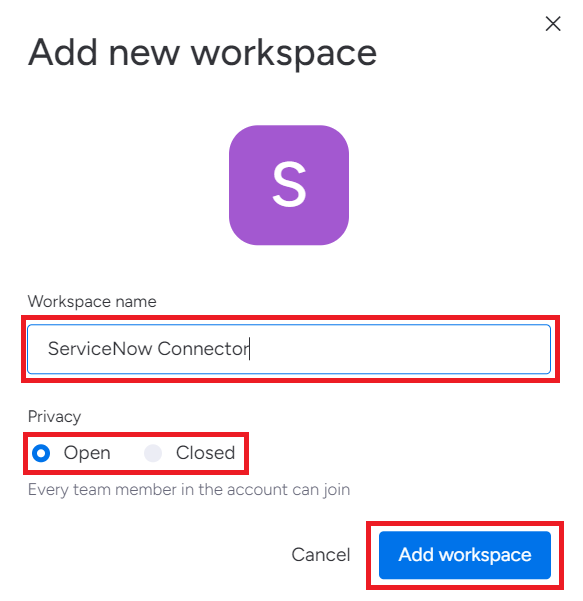
Step 3: Enter the Workspace name. Select Privacy requirements. Click on Add Workspace.
-
Privacy requirements are selected as Open by default, which allows your team members to join the board.
-
Select the Closed option to prevent team members from joining the board.
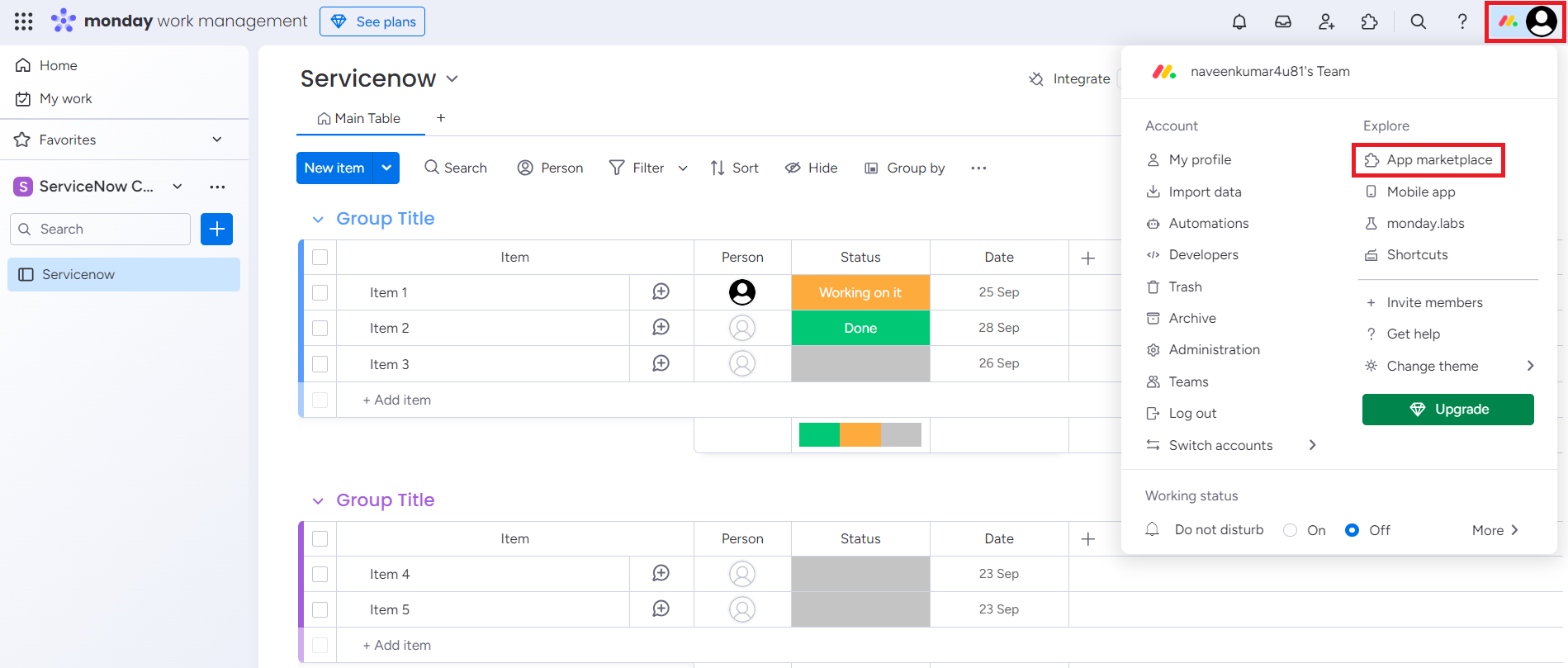
Step 4: Click on the profile icon from the top-right corner of the window and select App marketplace.
Step 5: Search for the ServiceNow Connector app and click the app.

Step 6: Select the Workspace and click on Install.
-
If you select the All Workspaces option, the app will be available on all current and future workspaces.
-
If you select the Specific Workspaces option, choose the workspaces from the dropdown. The app will then be restricted to only those selected workspaces.
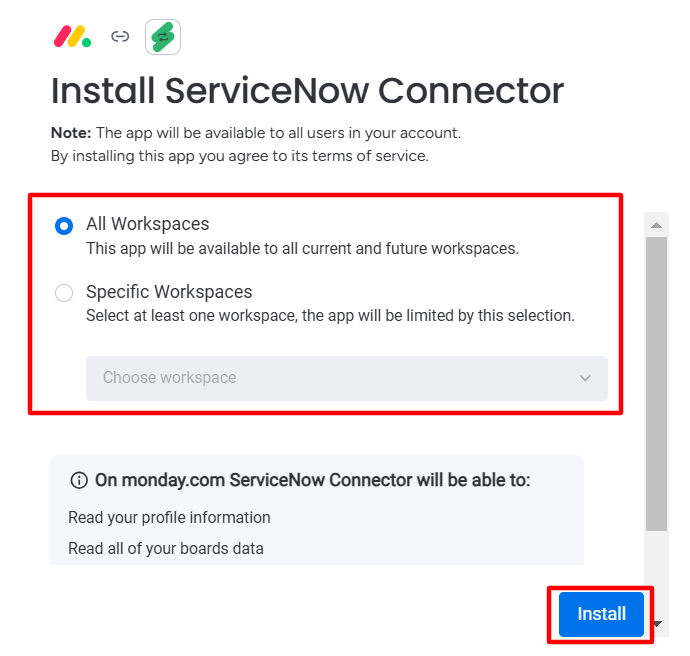
ServiceNow Connector app will be installed in the selected workspaces.
After installing the application, set up your monday board and configure your ServiceNow incident fields for seamless integration.
Uninstall the App
The steps to uninstall the app are as follows:
-
Go to the Monday Marketplace. Search for the ServiceNow Connector app. Click on the app.
-
Click on the dropdown and Uninstall the app.
Reinstall the App
After uninstalling, you can re-install the app using the simple steps:
-
Go to the Monday Marketplace. Search for the ServiceNow Connector app. Click on the app.
-
Click on Install.
The app will be re-installed.