

This feature enables you to quickly build and manage the Org Tree by importing employee details using an Excel file. To get started, the administrator should download the Excel template and fill in the user information such as Manager, Designation, Department, and any additional custom fields. Once completed, the file can be uploaded to automatically generate the organizational structure in one go.
1. Generate Org Tree
Step 1: Go to Import from Excel tab.
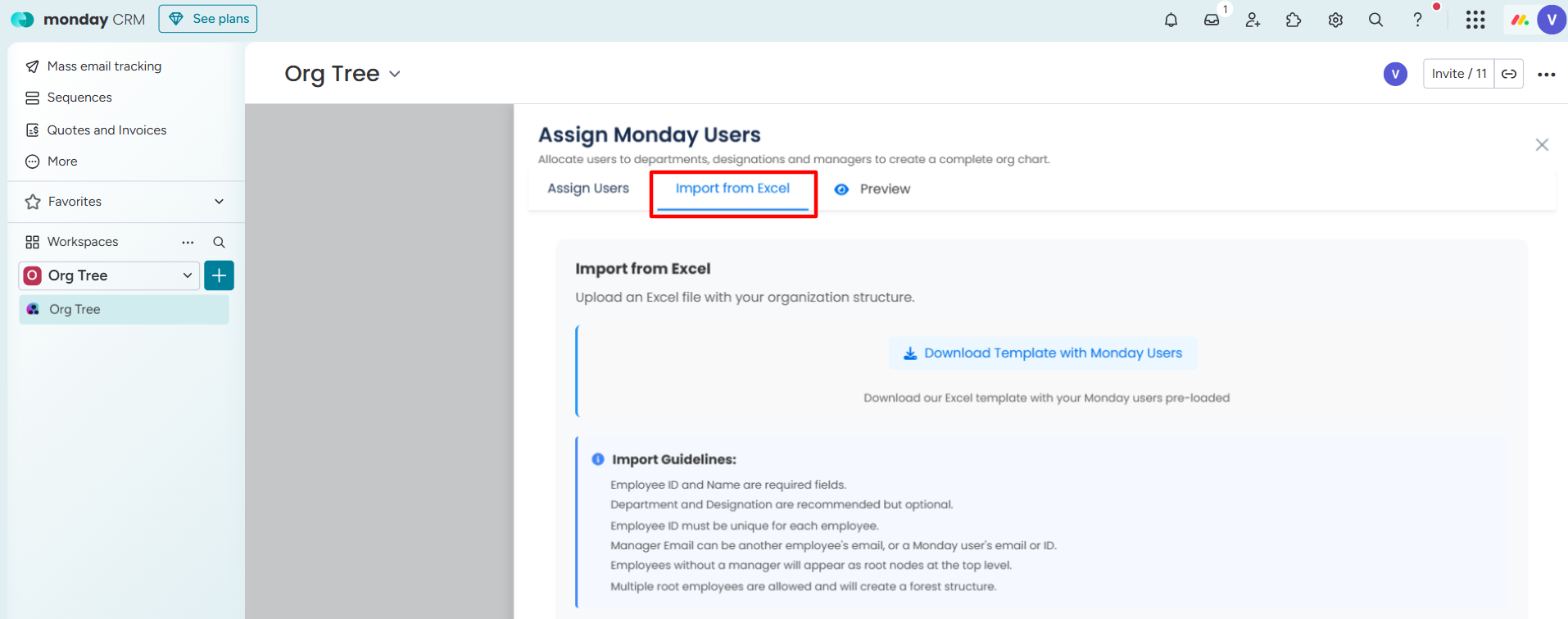
Step 2: Click on Download Template with monday Users button.
A template Excel file will be downloaded with Employee ID, Employee Name, and Employee Email address.
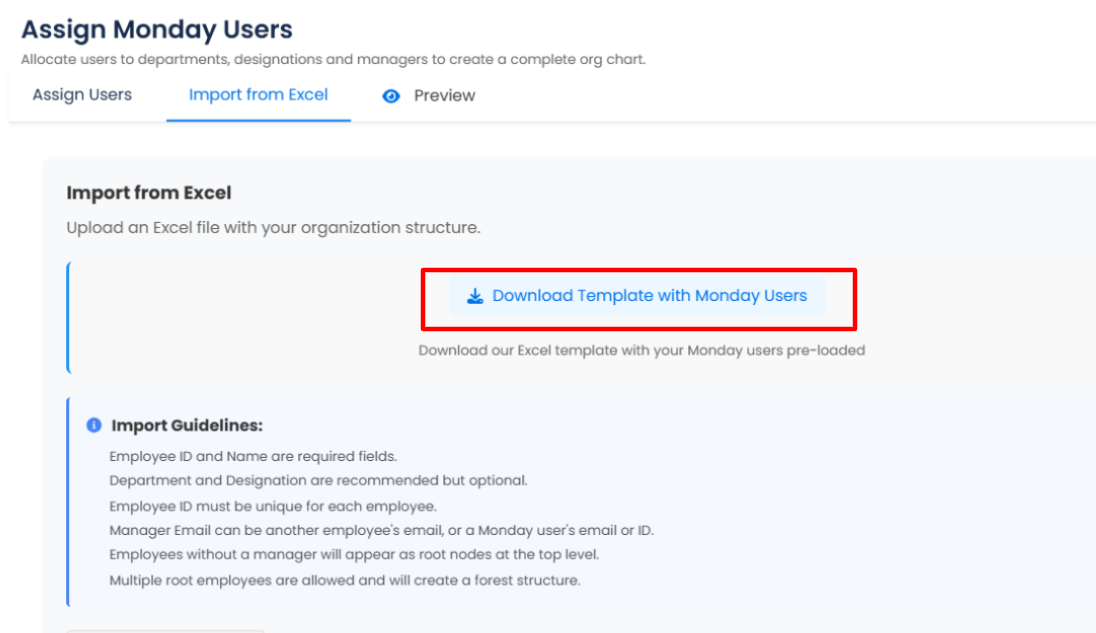
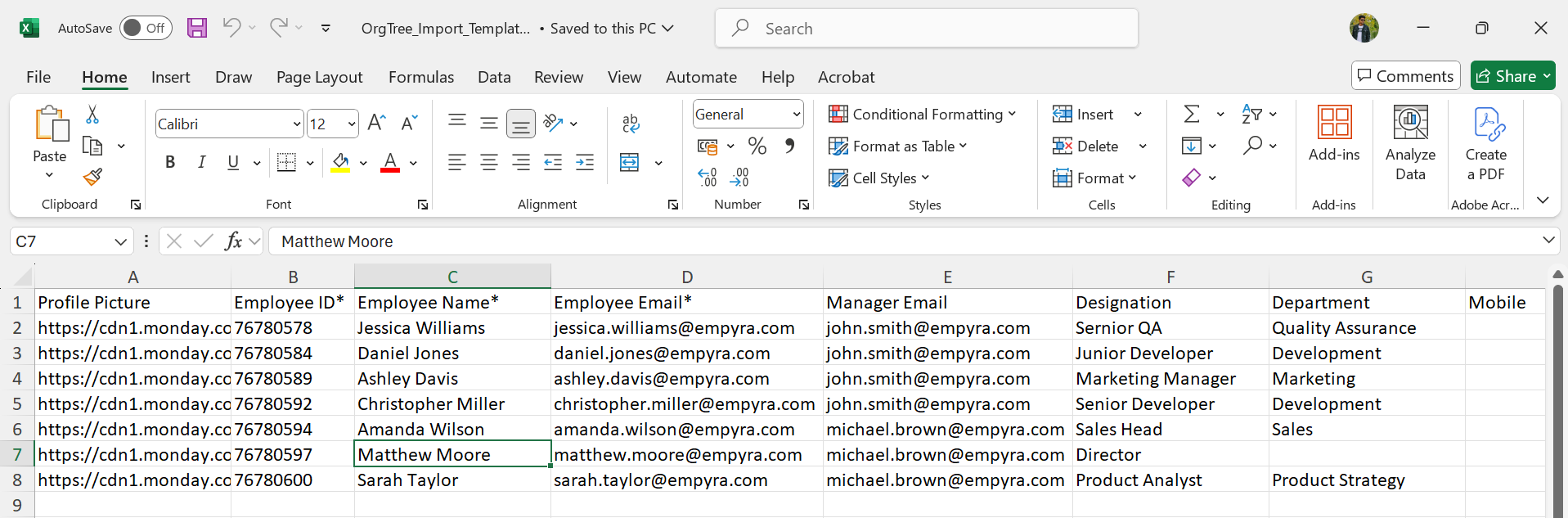
Step 3: Open the downloaded template file from your computer and fill in the required details.
Add new columns for custom fields and fill in the details.
If you do not fill in the Manager’s Email ID column, then users will be assigned to the top-level card by default.
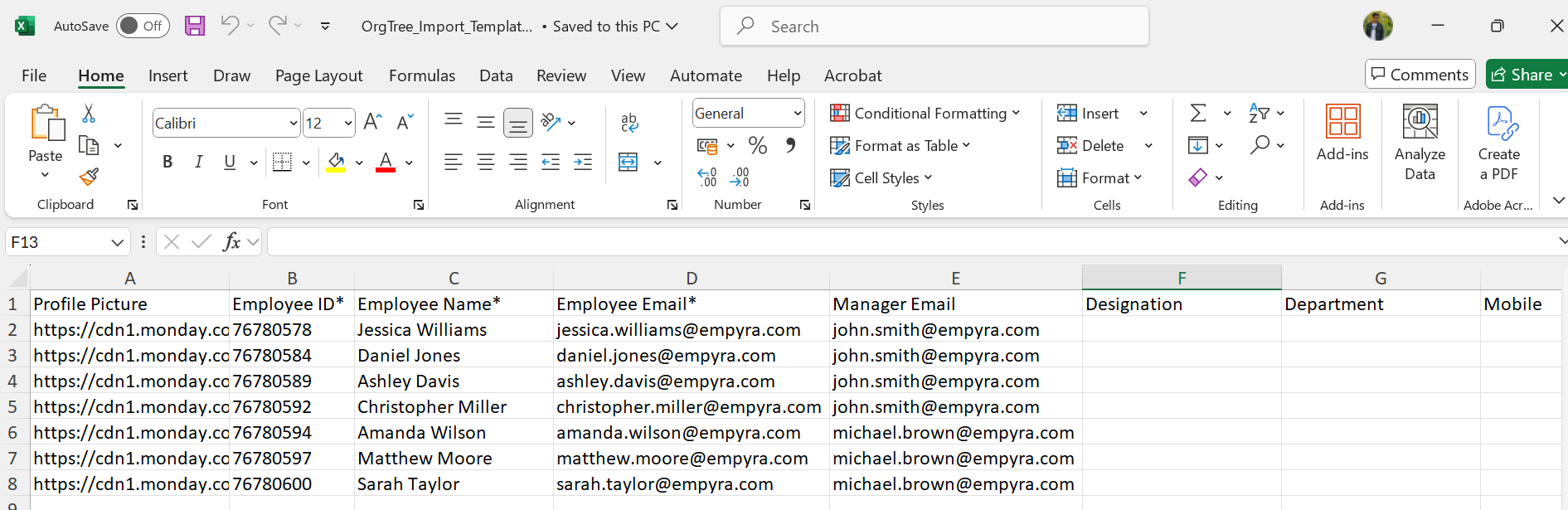
Step 4: Click on Choose Excel File and upload the file from your computer.
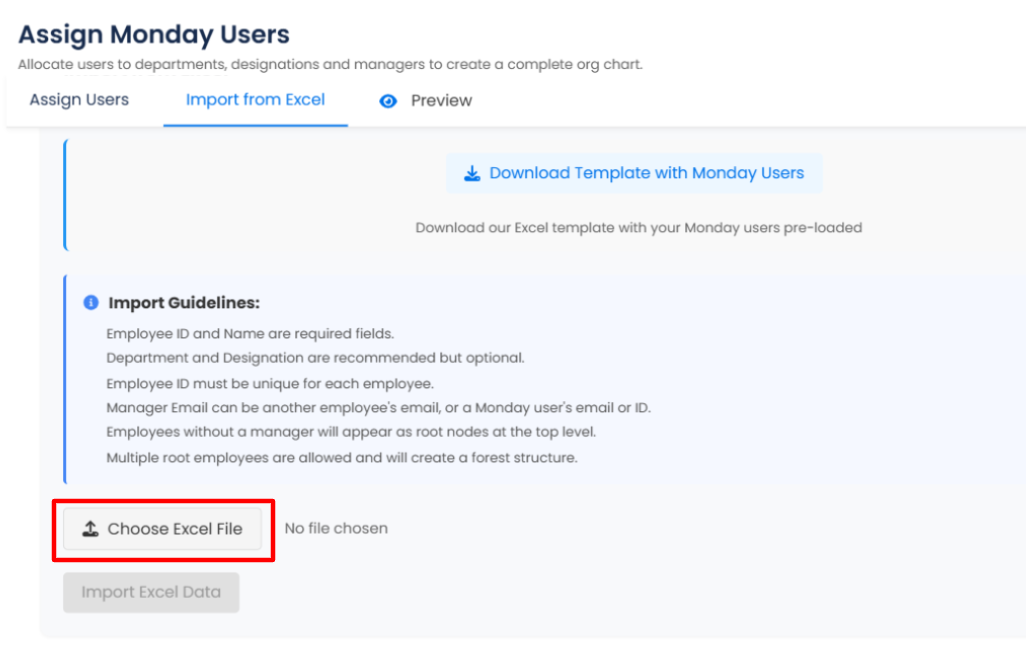
Step 5: Click on the Import Excel Data button after uploading the file.
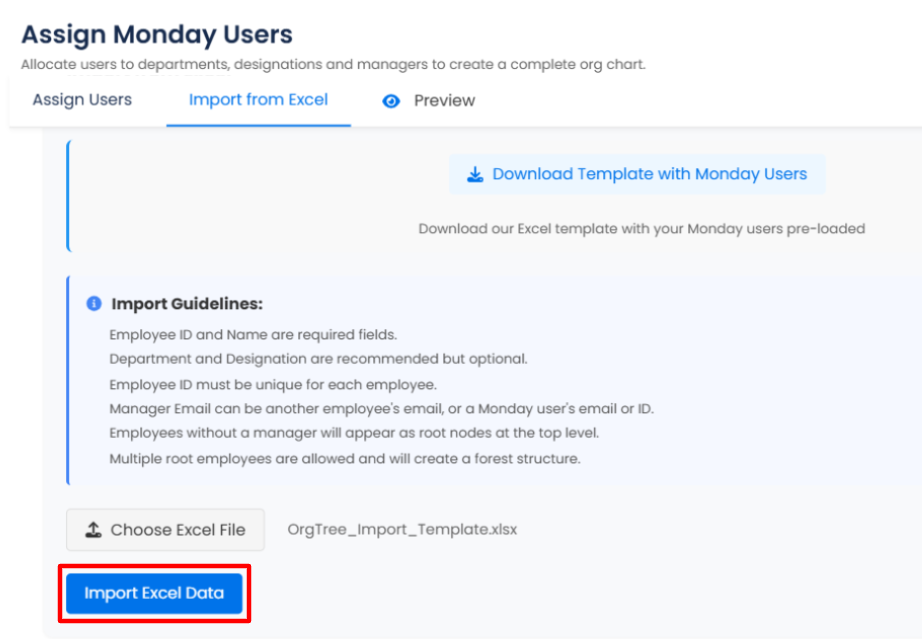
A successful message will pop up, and an Org Tree will be created.
2. Update Org Tree
Add new users or update existing user details to the Org Tree.
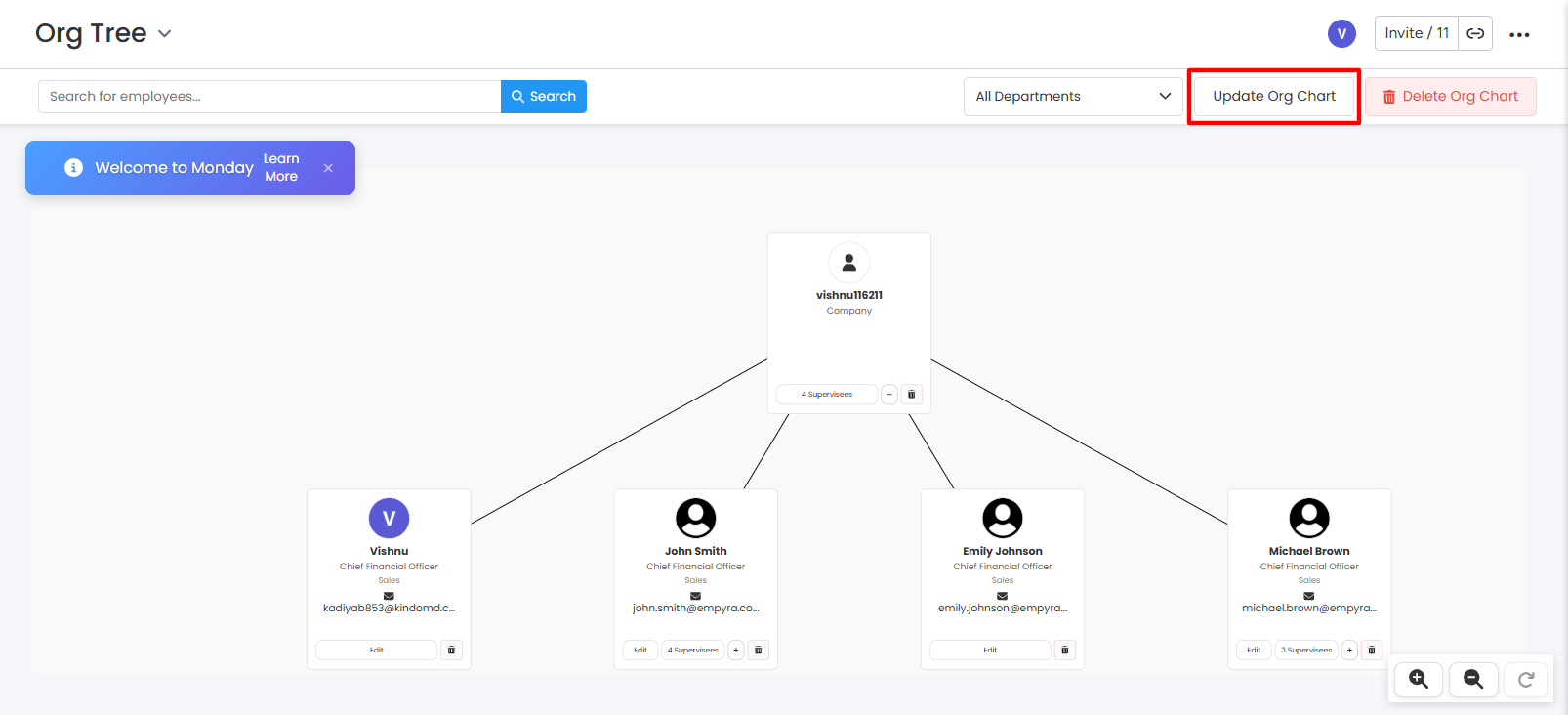
Step 1: Go to the existing Org Tree.
Step 2: Click on the Update Org Chart button.
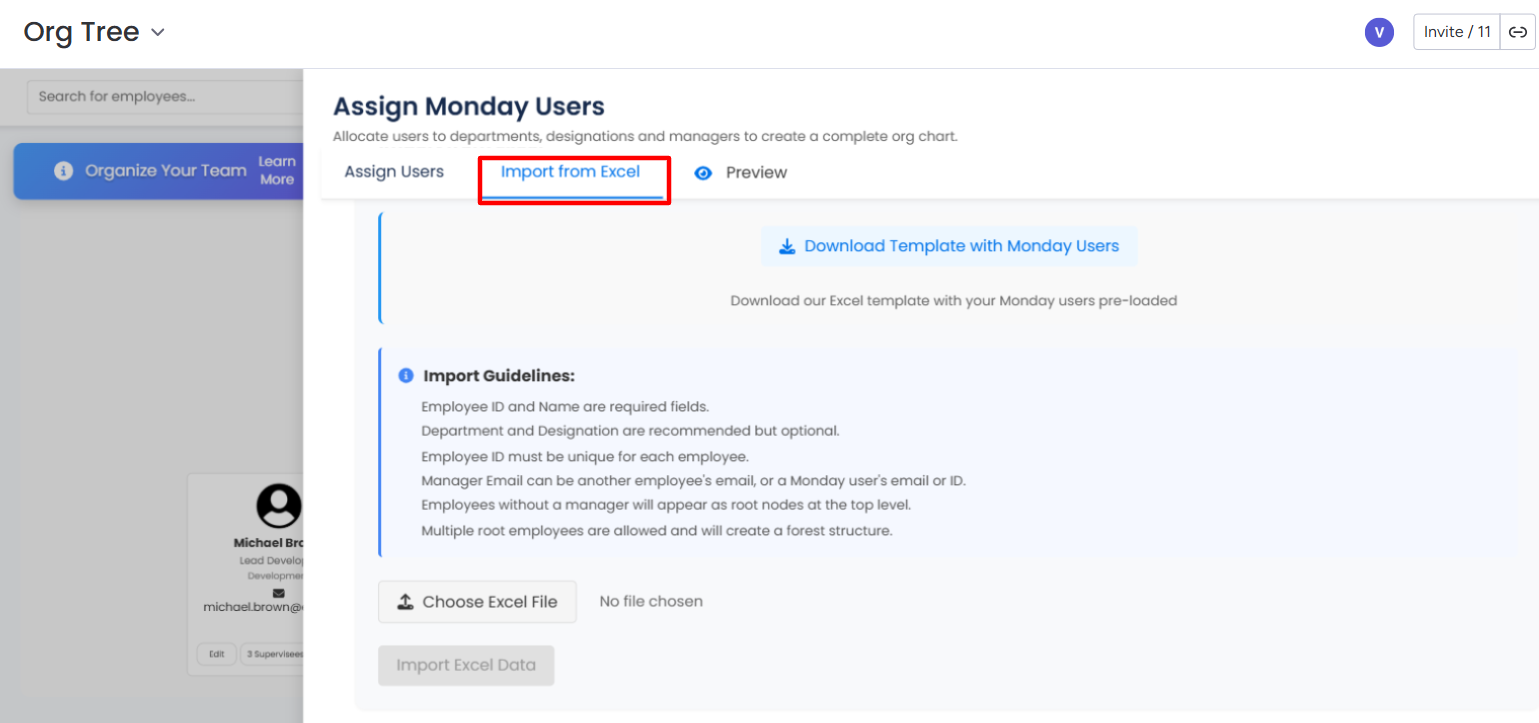
Step 3: Go to the Import from Excel tab.
-
Importing an updated Excel file will not delete the existing organization tree. Instead, it will update matching entries and add any new ones based on the data in the file.
-
If you are creating a new Org Tree from scratch using an Excel file, you must manually delete the current Org Tree before importing.
Step 4: Update the employee information or add new employee information to the existing template Excel file.
If you do not fill in the Manager’s Email ID column, then users will be assigned to the top-level card by default.
Step 5: Click on the Choose Excel File button and upload the updated template Excel file from your computer.
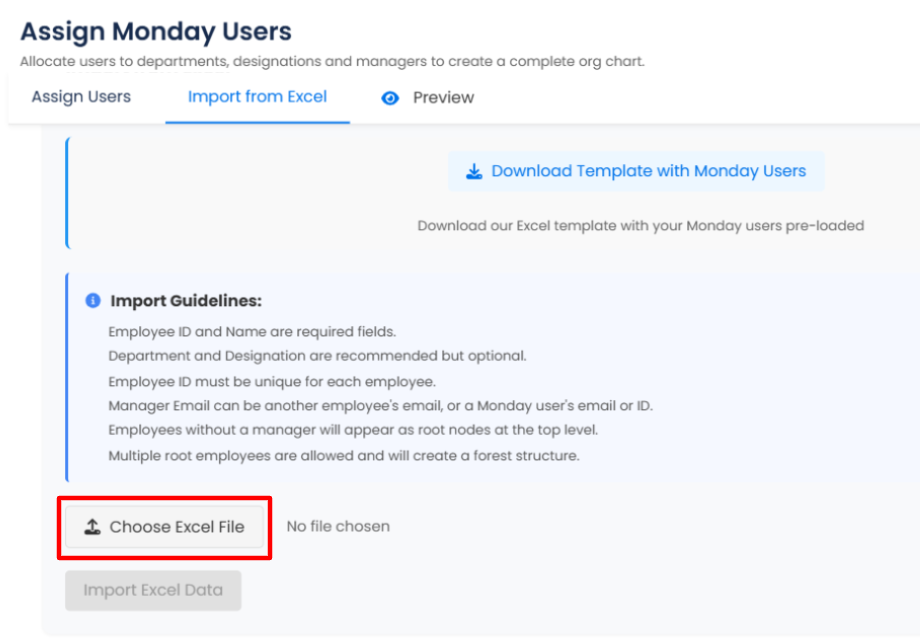
Step 6: Click on the Import Excel Data button after uploading the file.
A successful message will pop up, and Org Tree will be updated.