

Complete the Configuration Settings before you start using the other features of the Asset Management app. It ensures that only authorized users can access the boards and features, maintaining both data security and the integrity of your asset management processes. Also, it allows you to customize and control various aspects of the Asset Management app to suit your organizational needs.
Use the Asset Manager Token to provide permissions to ensure only authorized personnel can manage assets and perform tasks.
Always keep this token secret and secure. The Asset Manager will need to enter this Asset Manager token when accessing QR code forms for the first time.
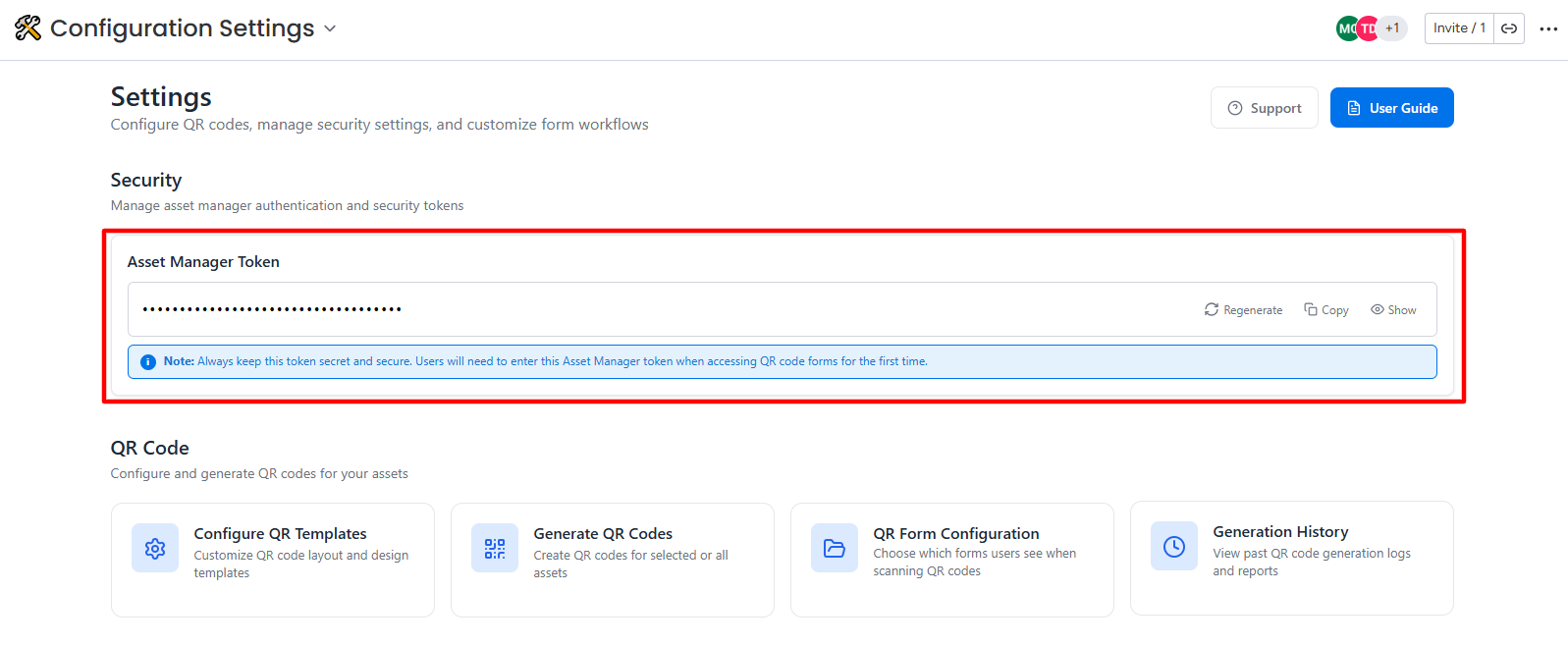
Also, users can configure key elements such as:
-
QR Template setup to customize QR code layout templates, design options, and field configurations for your asset labels.
-
Form settings for asset allocation, return, and work order requests.
-
Notification preferences to manage alerts and updates.
-
Automation Settings to automate the key processes, such as asset allocation, return approvals, maintenance scheduling, and notification triggers
These settings provide flexibility, helping streamline workflows, enhance efficiency, and maintain control over asset management processes.
QR Template Configuration QR Form Configuration
Email Configuration Automation Settings