The QR Template Configuration feature allows asset managers to customize the QR code layout, design options, and field configurations for asset labels.
Follow the steps below to configure the QR templates:
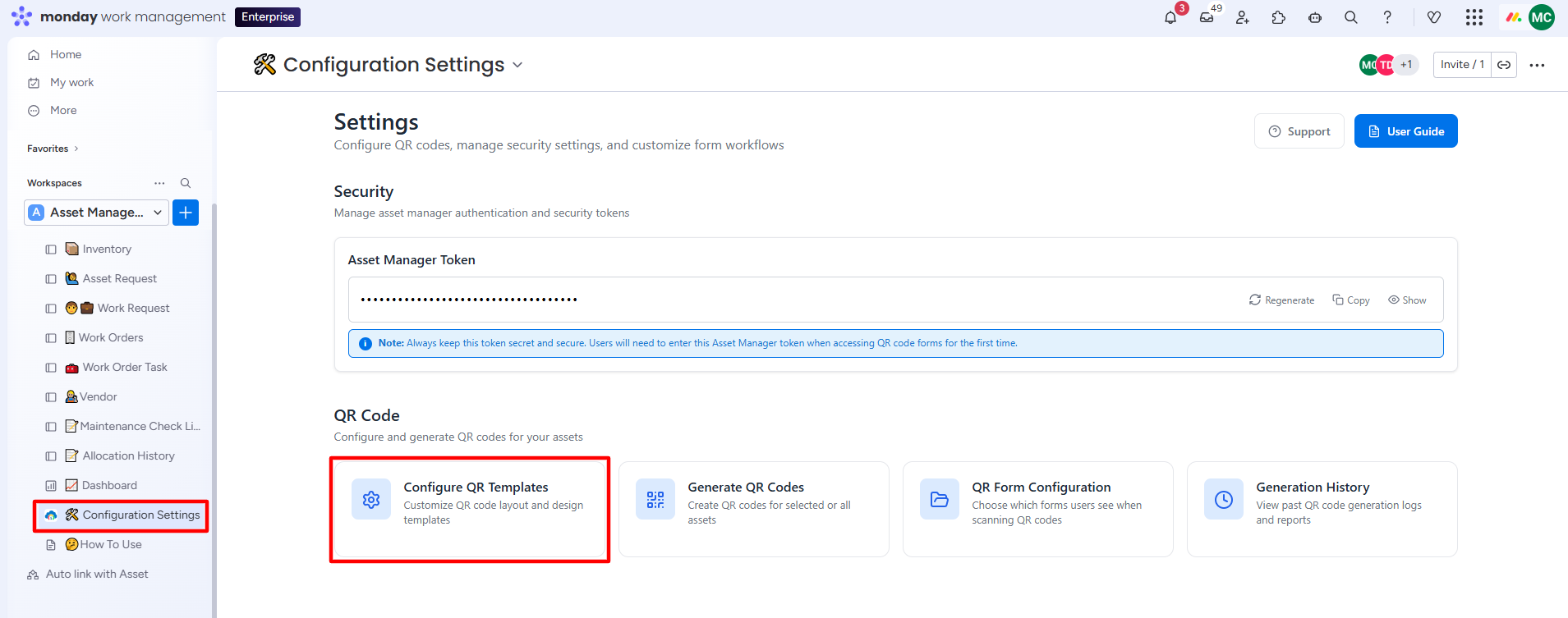
Step 1: Go to Configuration Settings and click on the Configure QR Templates tab.
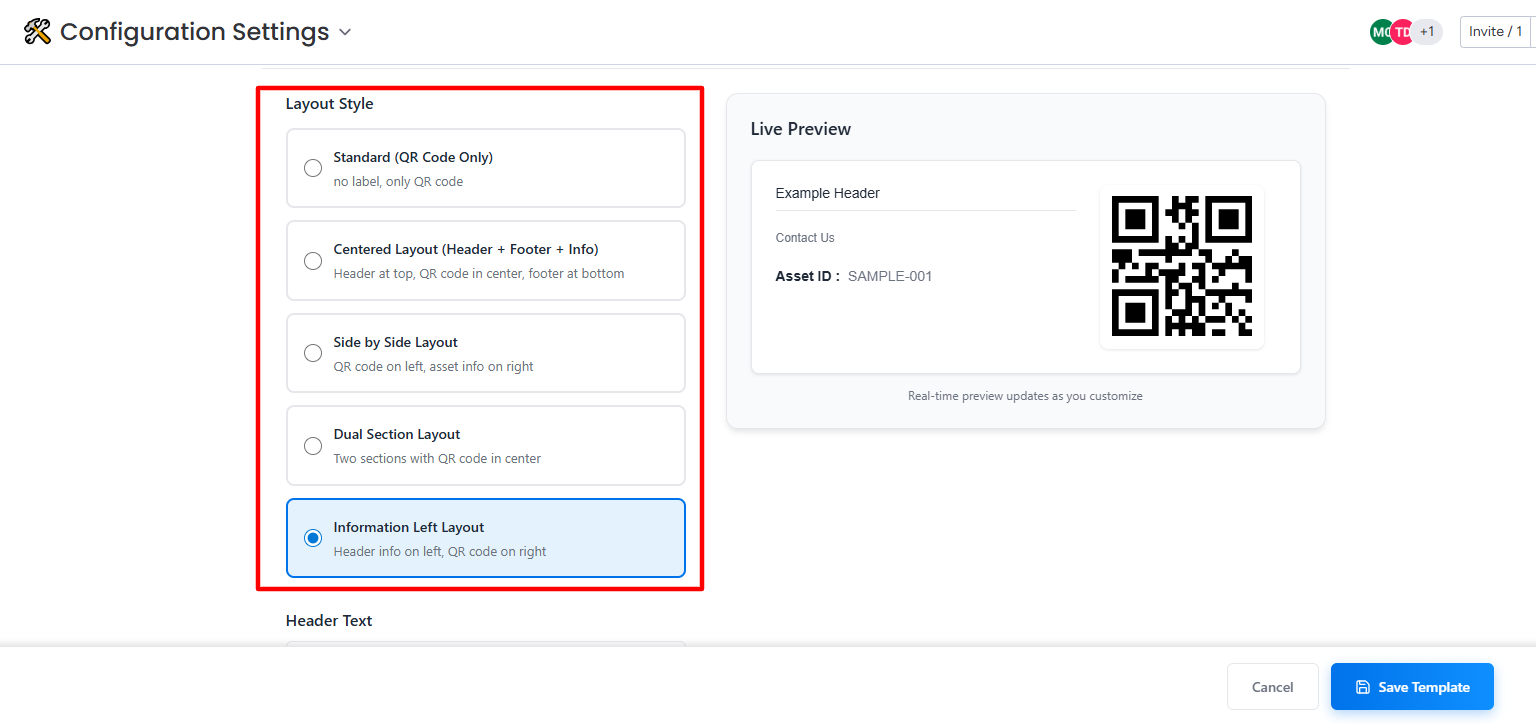
Step 2: Select a suitable QR layout style from the list.
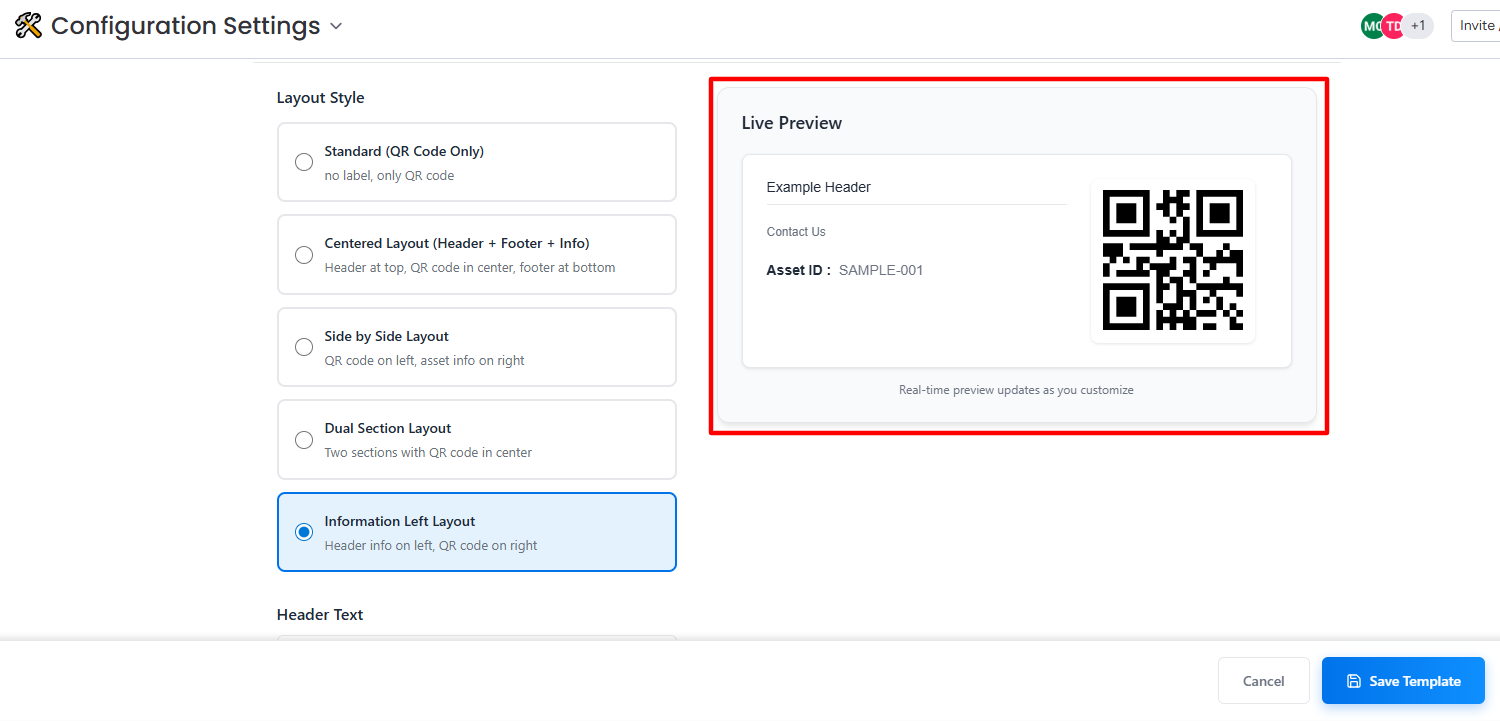
A live preview of the selected QR layout will be displayed on the right side.
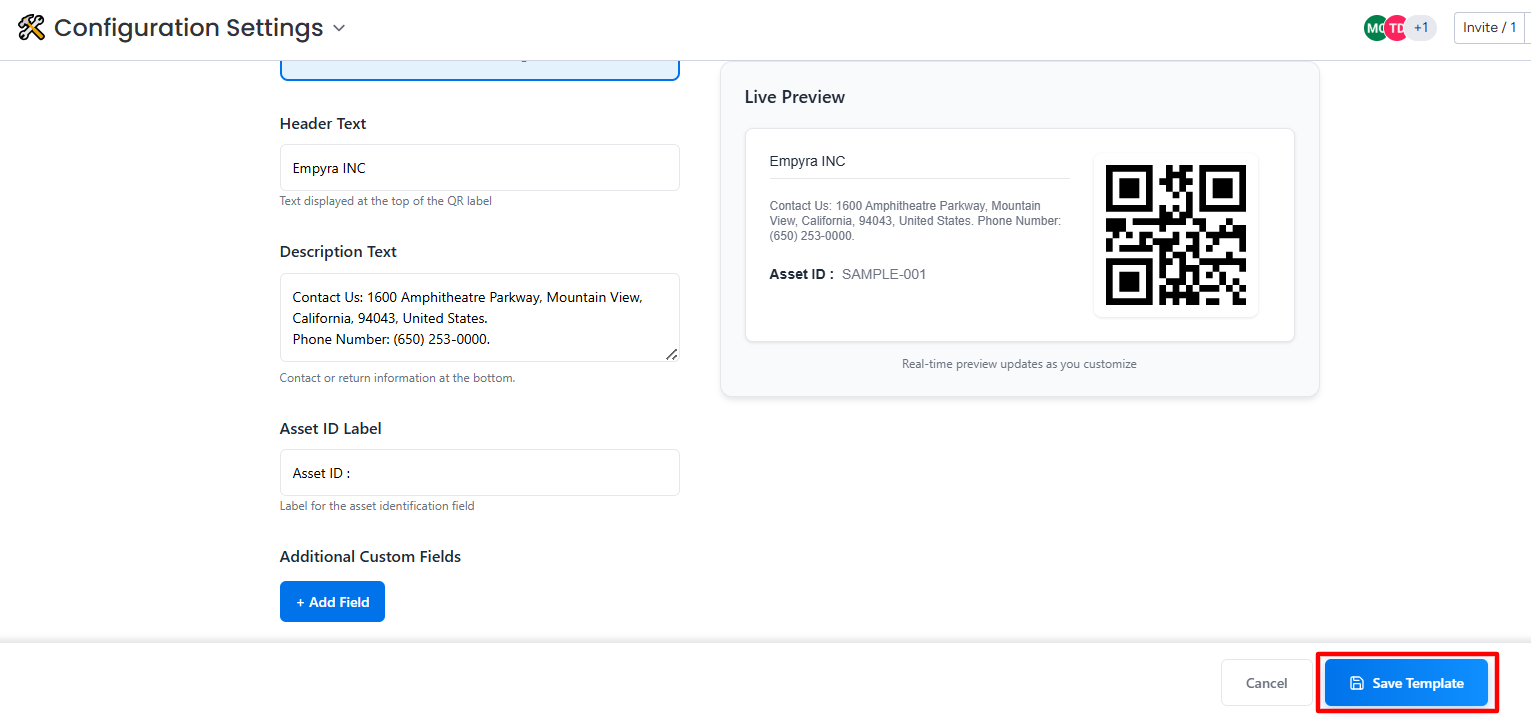
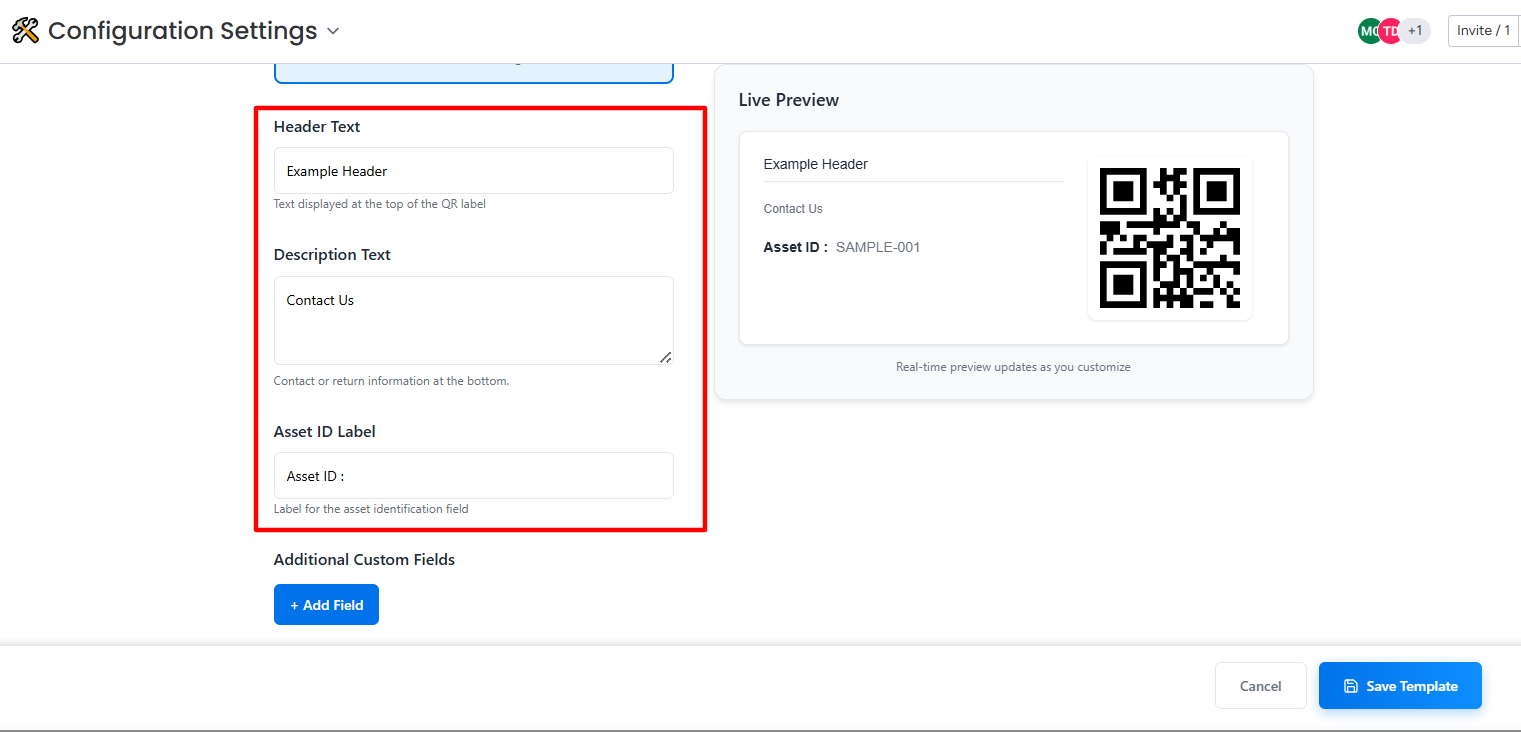
Step 3: Add the information on the default fields.
Step 4: Click on the Add Field button to add an additional field and information to the QR template.
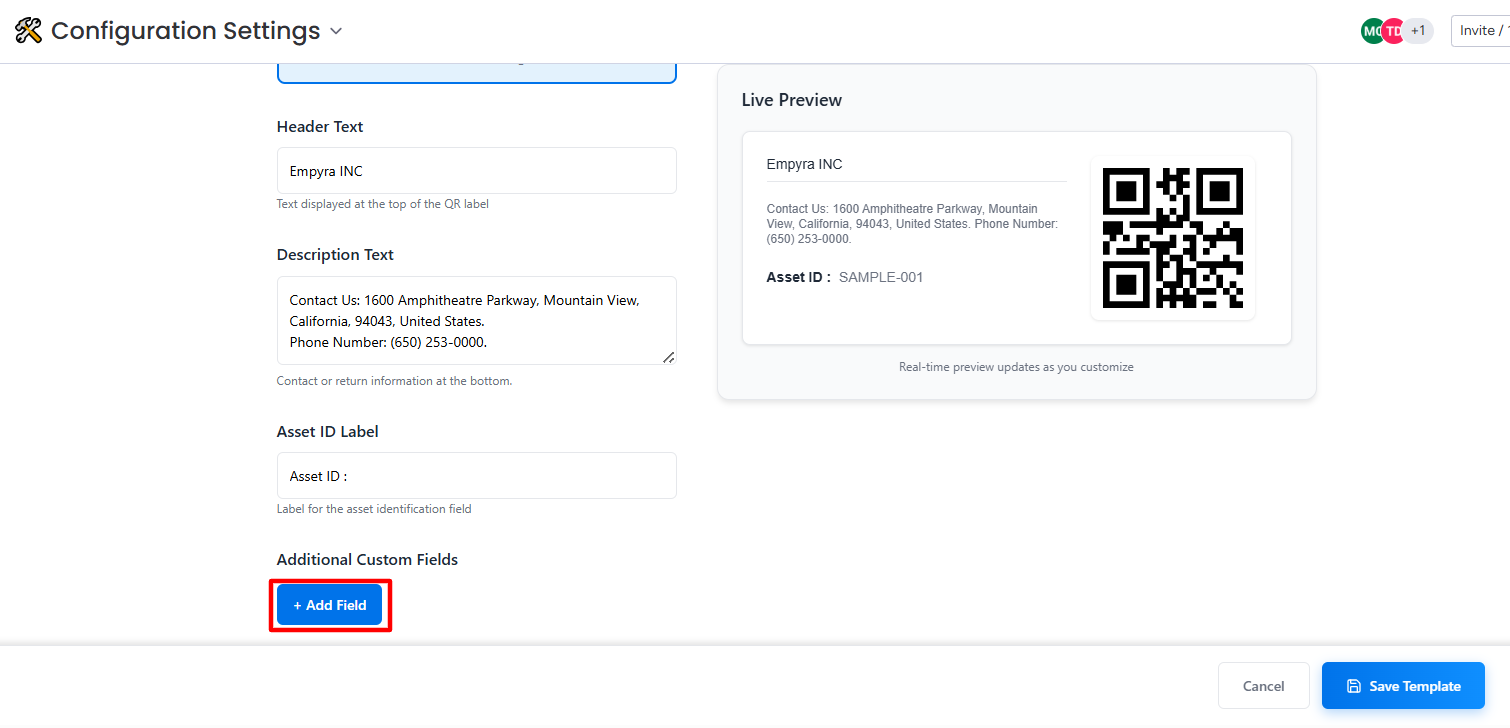
Step 5: Next, click on the Save Template button.