

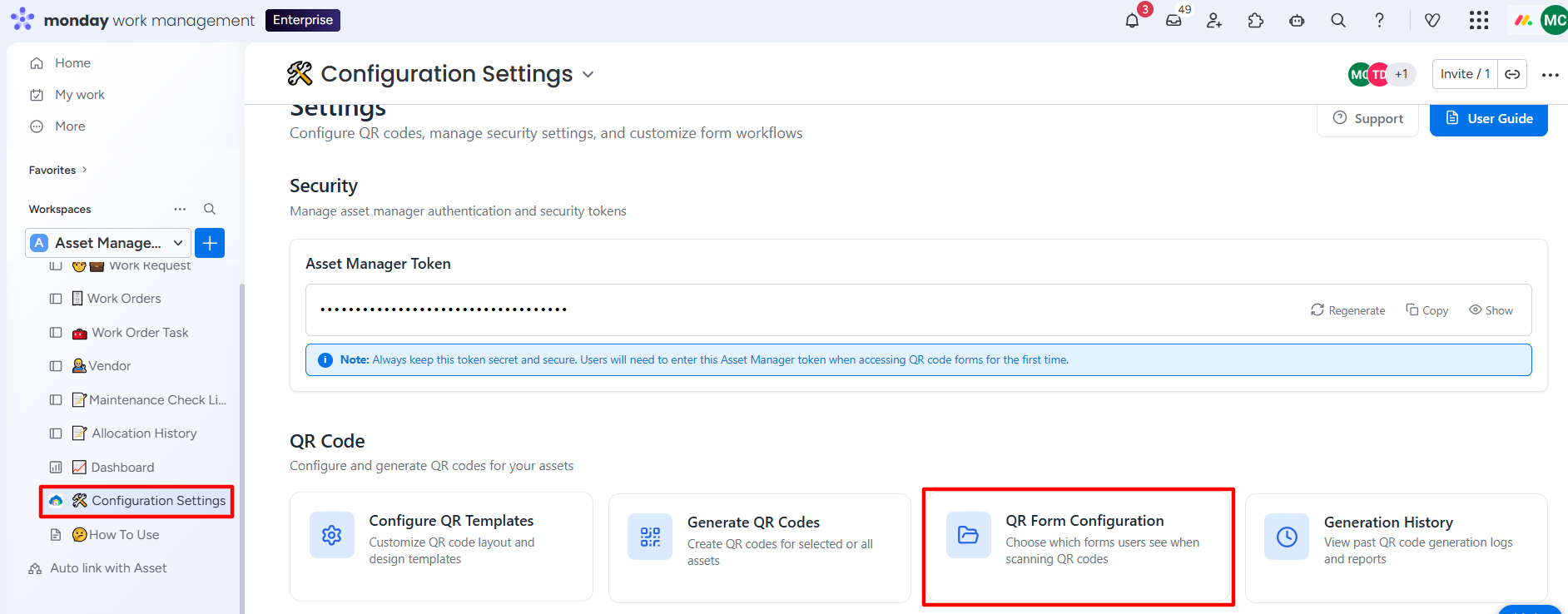
The QR Form Configuration feature enables asset managers to display either the Allocation/Return Request Form or the Work Order Request Form when a QR code is scanned. You can select one or both options, depending on your specific needs. Based on the selected options, the appropriate form will automatically open upon scanning, streamlining the approval process.
Step 1: Go to Configuration Settings. Click on the QR Form Configuration tab.
Step 2: Select any one or both checkboxes depending on your specific needs. Click on the Save Configuration button.
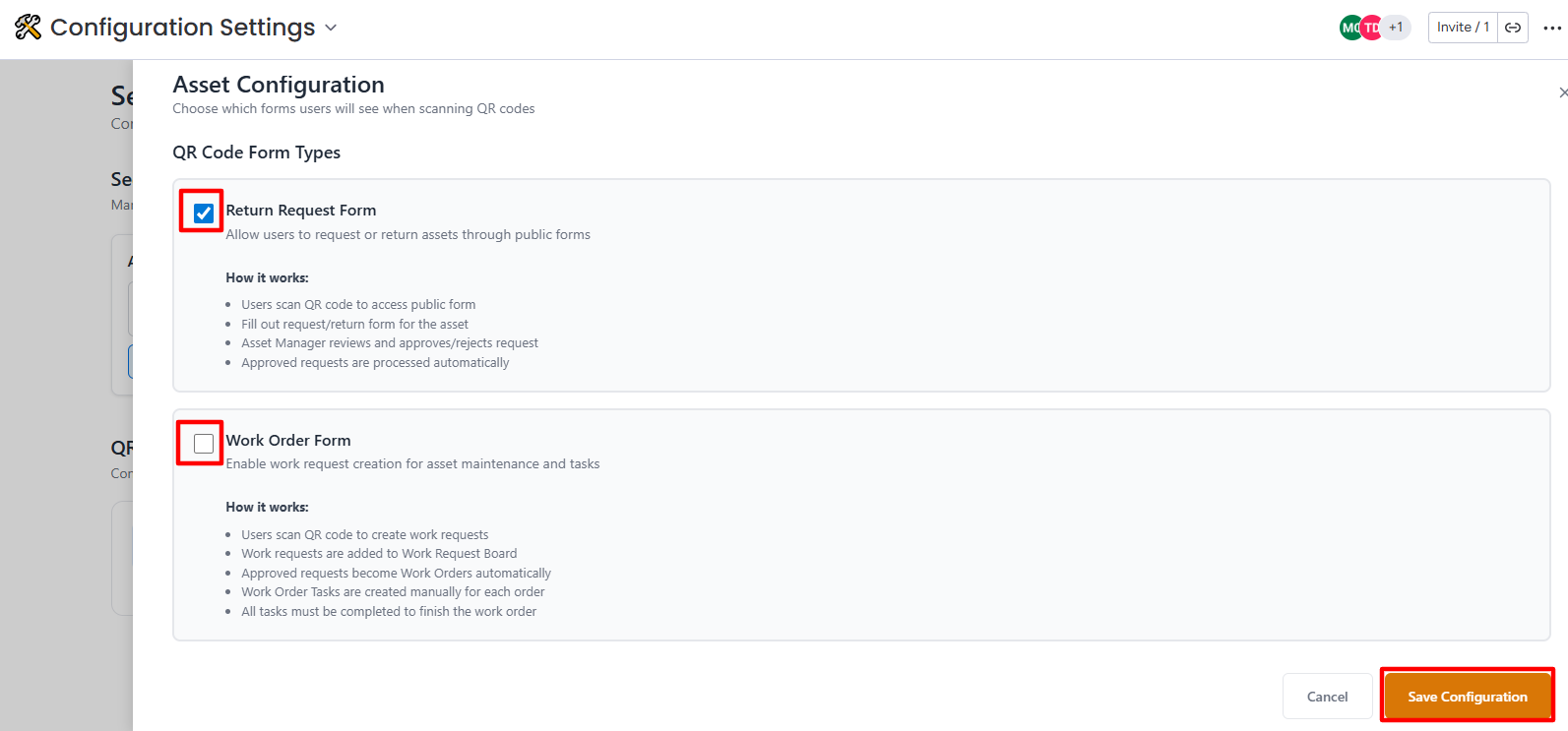
Asset Configuration Setup will be completed, and a success message will appear.