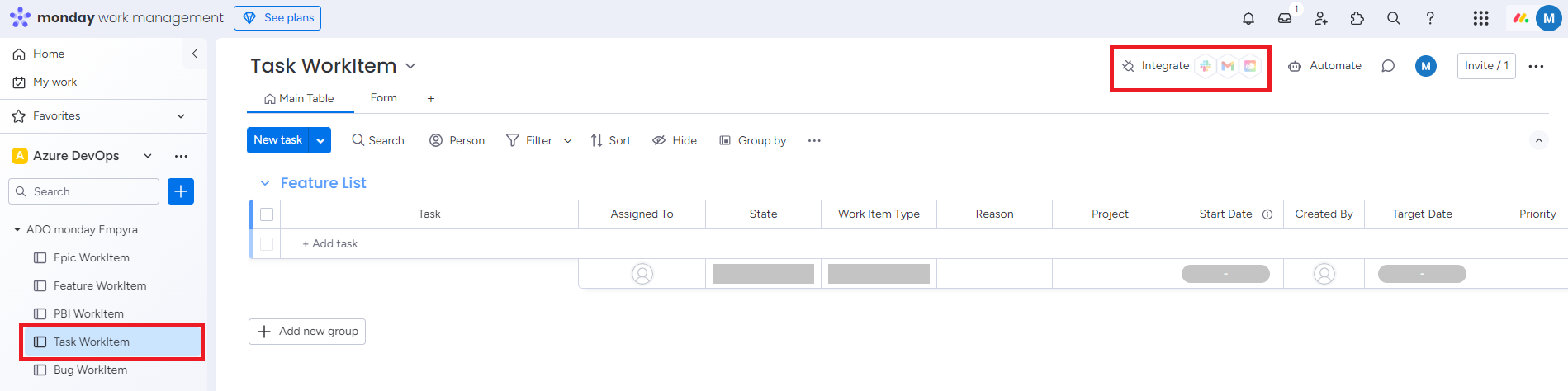
Task WorkItem board is dedicated to managing and synchronizing task-level work items between Azure DevOps and monday.com. This board helps teams organize, track, and monitor individual tasks that contribute to the overall project, ensuring efficient workflow management.
Add recipes to automate the synchronization of task-level work items, ensuring smooth and real-time updates across both platforms.
Follow the steps below to add the three recipes for the Task WorkItem board.
1. Task WorkItem Recipe
Step 1: Go to Task WorkItem. Click on Integrate.
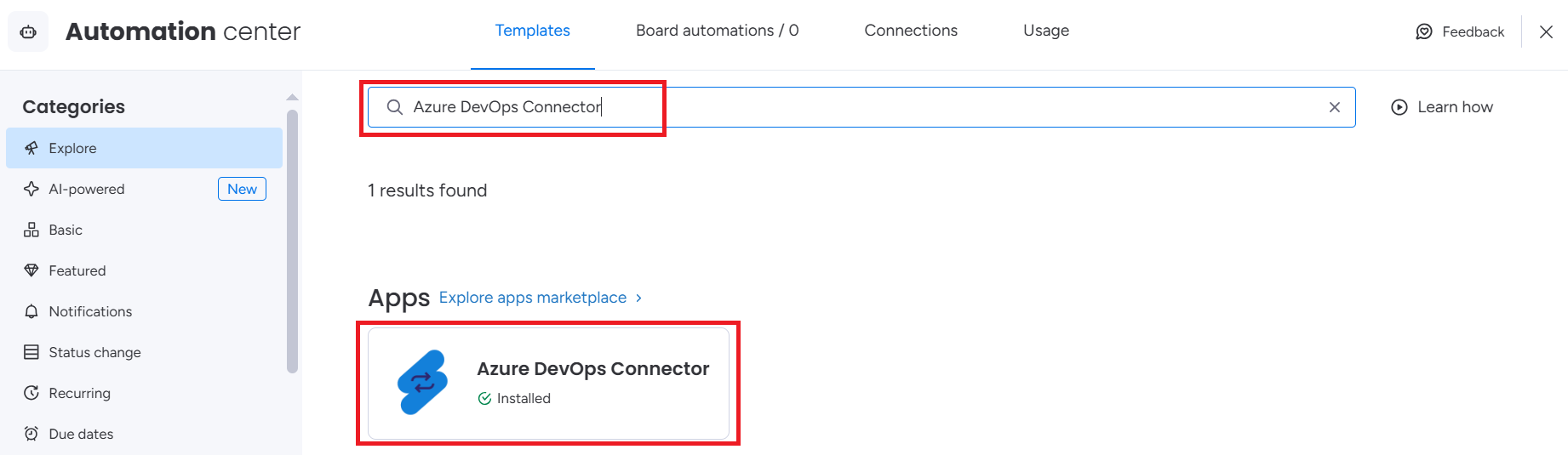
Step 2: Search Azure DevOps Connector app and click on the app.
Step 3: Select the successor type recipe and click on Use template.
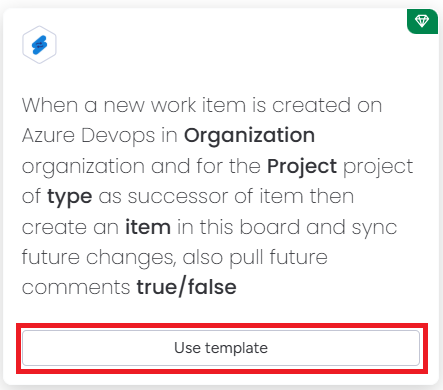
The mapping screen will appear.
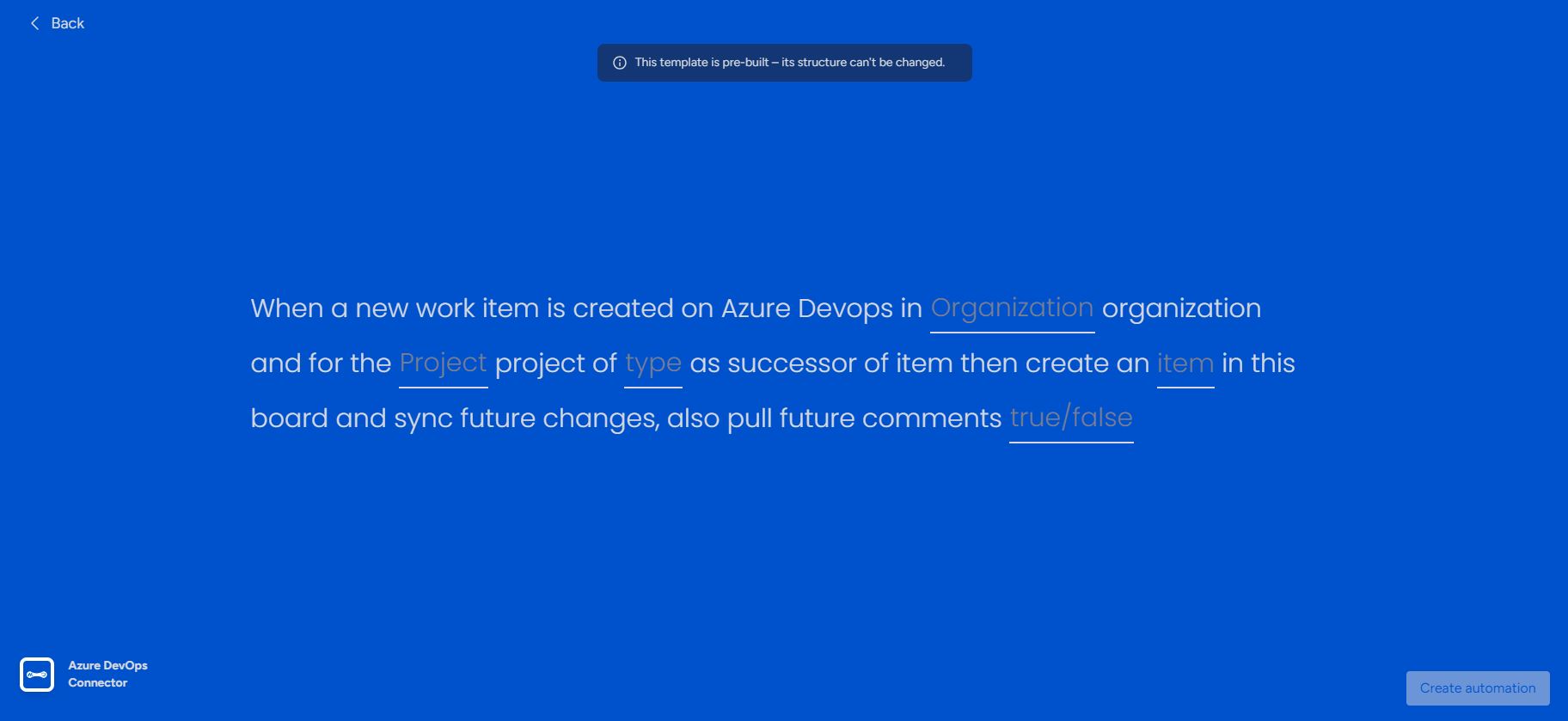
Step 4: Map the fields as given in below steps.
-
Click on Organization and select the organization from the list.
-
Click on Project and select the project from the list.
-
Click on Type and select Task.
-
Click on Item.
The field mapping window will appear.
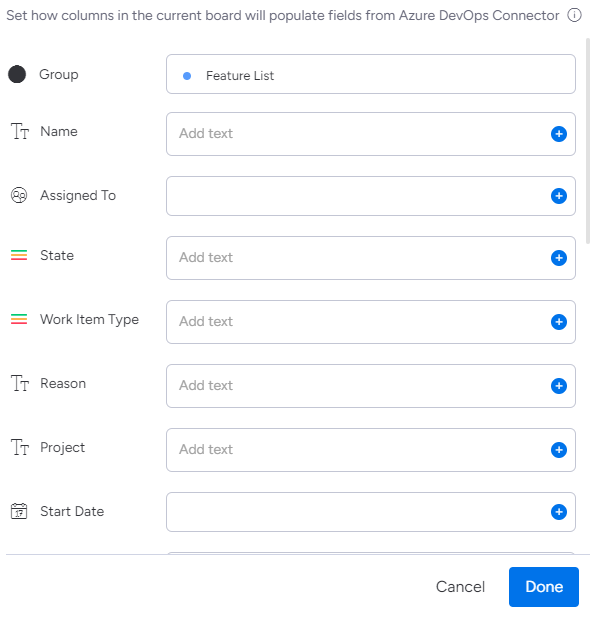
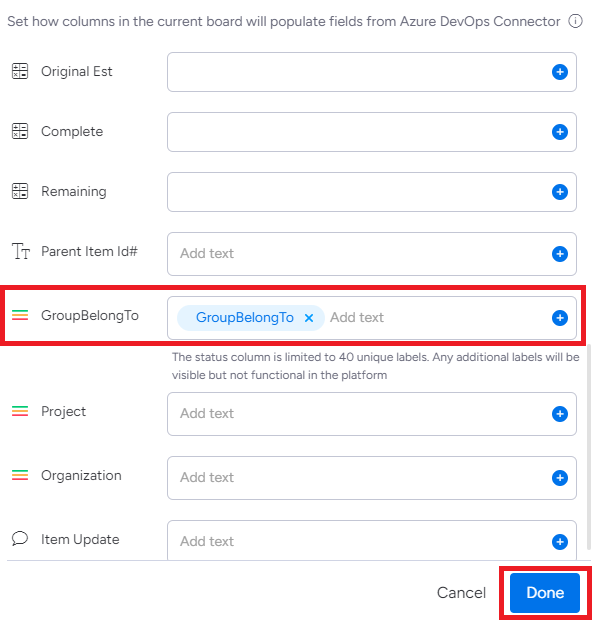
Map the ADO fields with monday columns.
|
ADO Fields |
monday Columns |
|---|---|
|
Name |
Title |
|
GroupBelongTo |
GroupBelongTo |
Name and GroupBelongTo are mandatory fields. Map other fields based on your requirements.
After mapping the fields, click on Done.
-
Click on True/False.
-
Select True to synchronize comments.
-
Select False to not synchronize comments.
Step 5: After mapping all the fields, click on Create automation.
.PNG?cb=8a3b7550feb190943c2497ee0d173418)
Webhooks related to this recipe will be created and added automatically.
2. Status Change Recipe
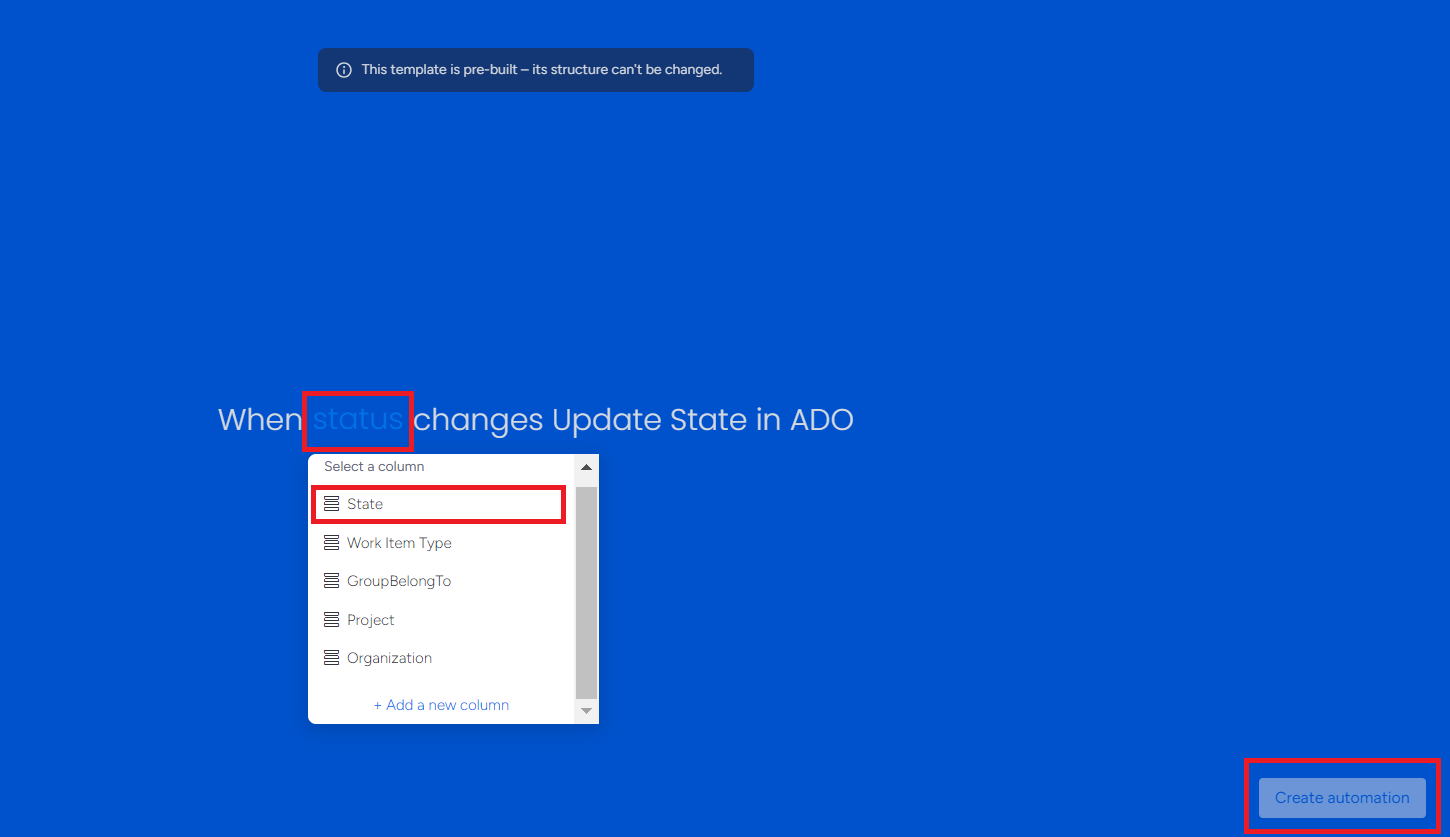
This recipe will update the State in ADO when the status changes in monday board and vice-versa.
Step 1: Click on Use Template.
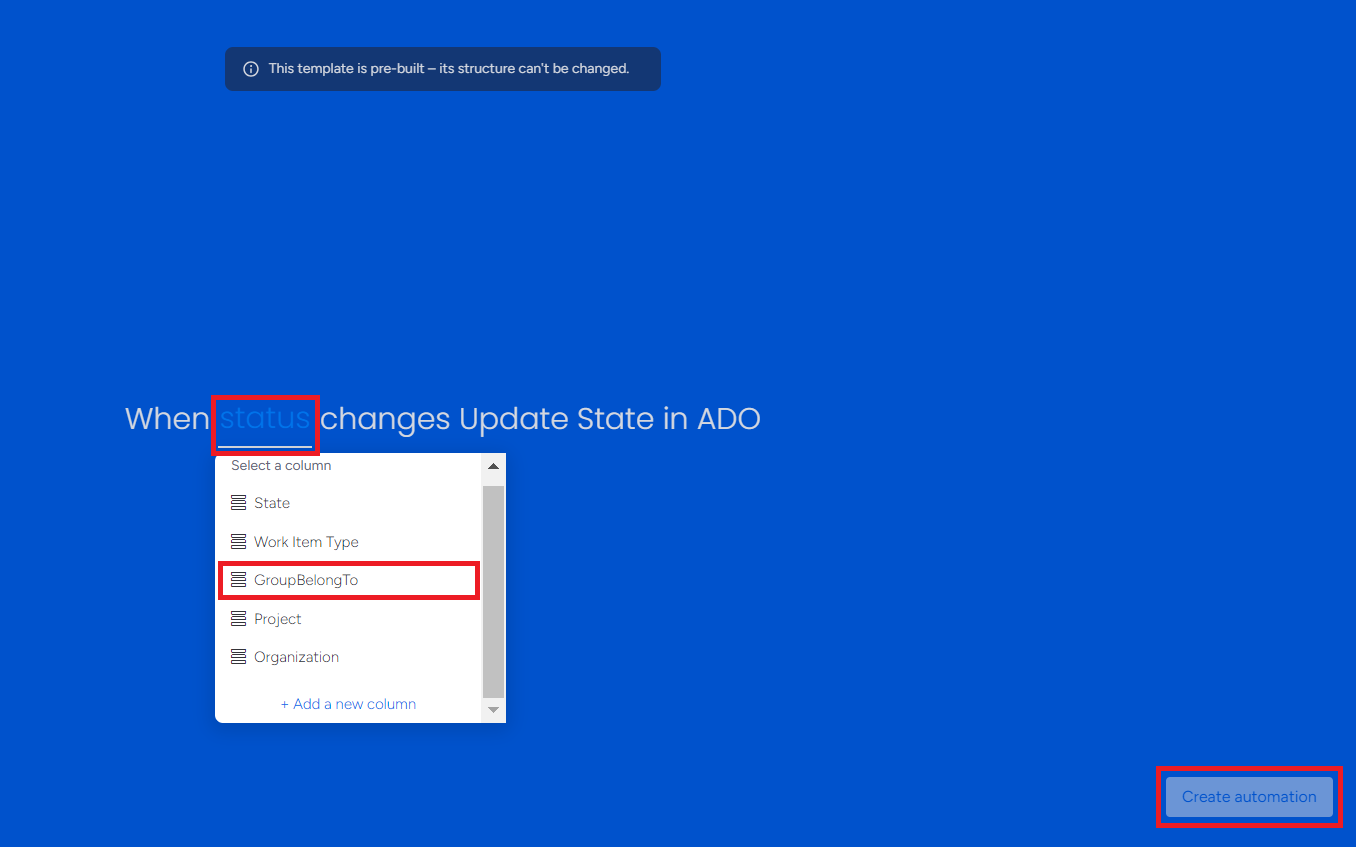
Step 2: Click on status and select State. Click on Create automation.
3. Group Update Recipe (Optional)
Skip adding this recipe if you are not using the GroupBelongTo field.
This recipe will update the Group in ADO when the status changes in monday board and vice-versa.
Step 1: Click on Use Template.
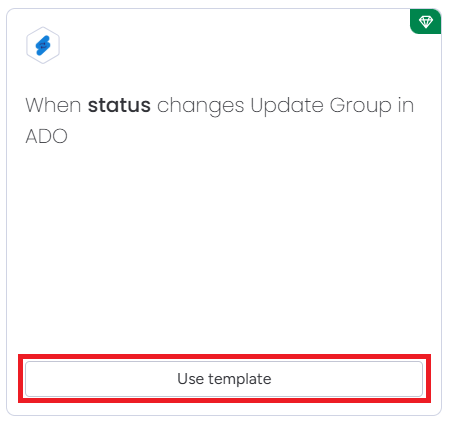
Step 2: Click on Status and select GroupBelongTo. Click on Create automation.