

The Integration Center contains a bulk import feature. This feature is used to import the existing work items from the ServiceNow platform to monday boards.
Add ServiceNow Integration Center
Step 1: Click on the Add item to workspace button.
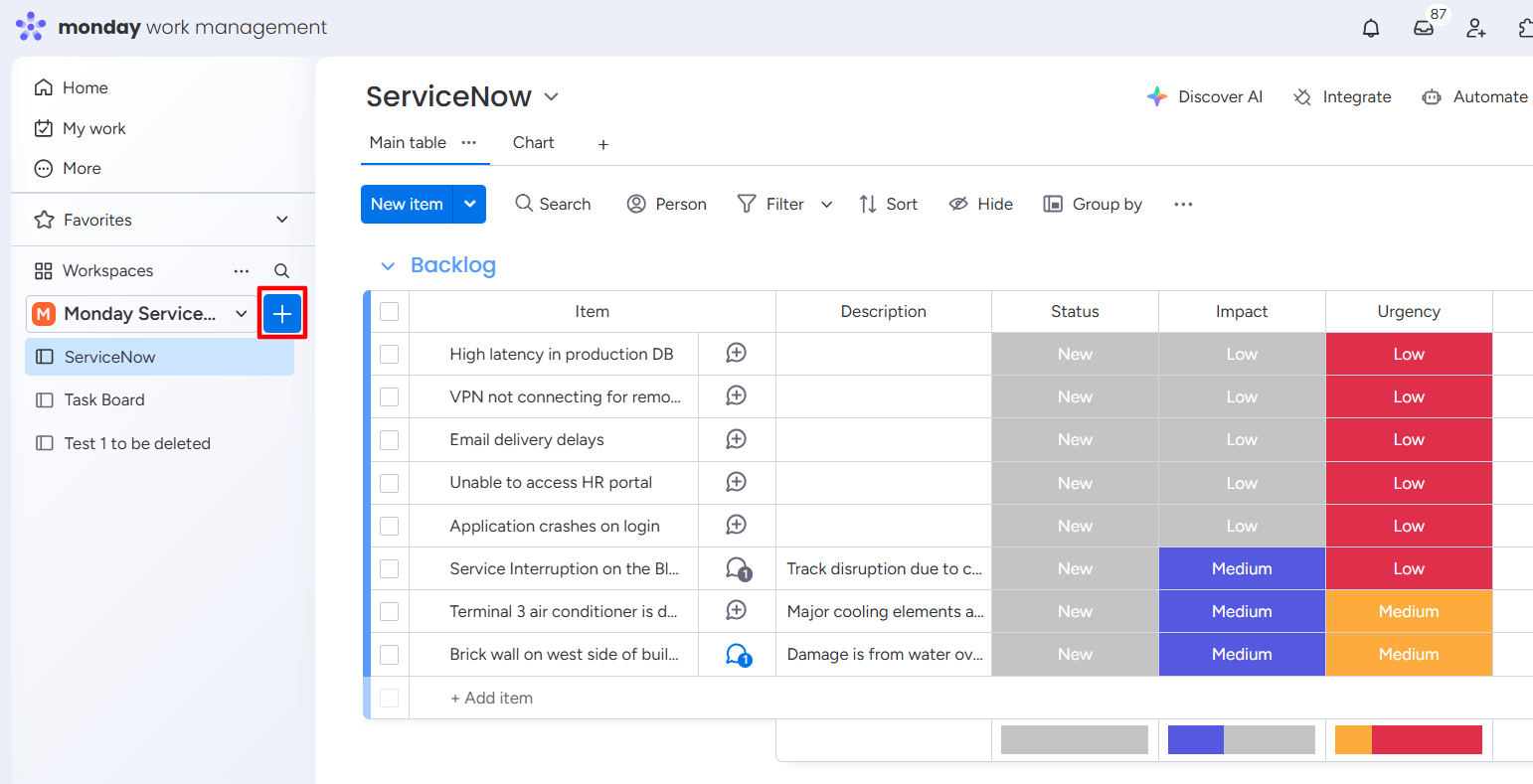
Step 2: Click on the Installed apps option.
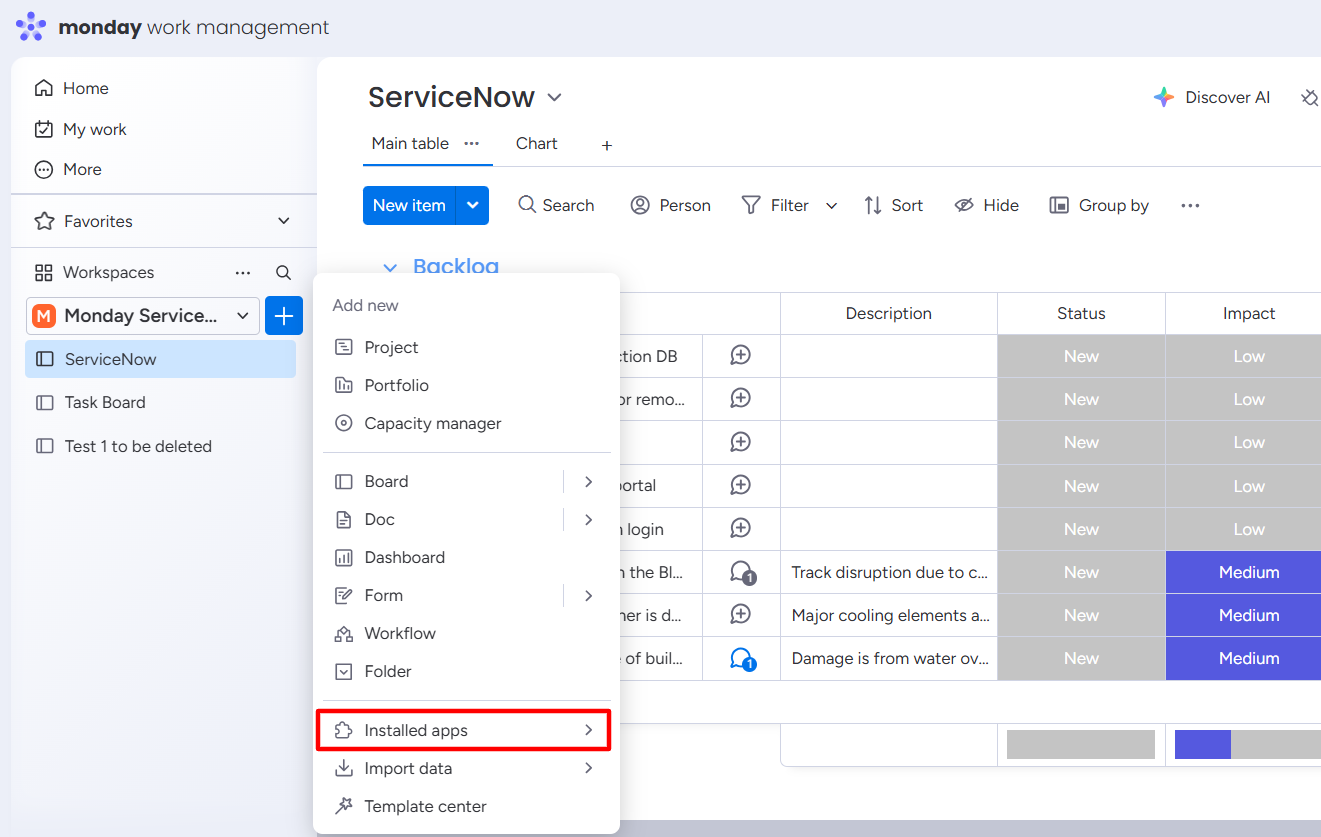
Step 3: Select the ADO Integration Center from the installed list.
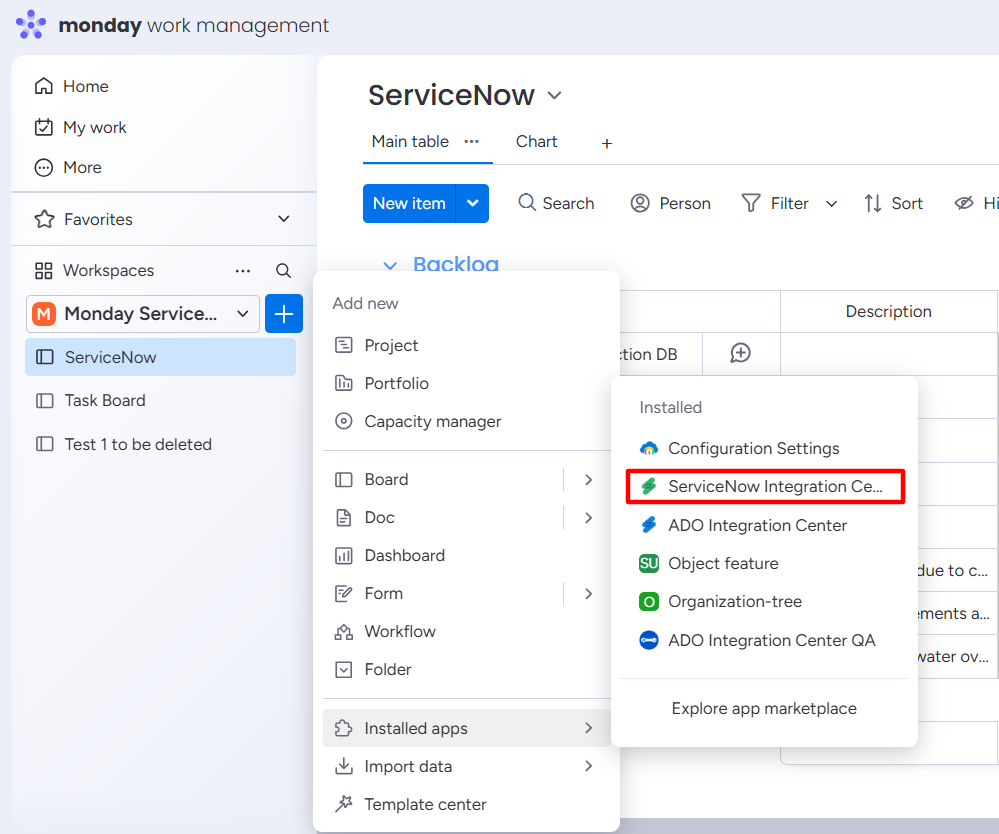
Step 4: The ADO Integration Center feature is added to your workspace.
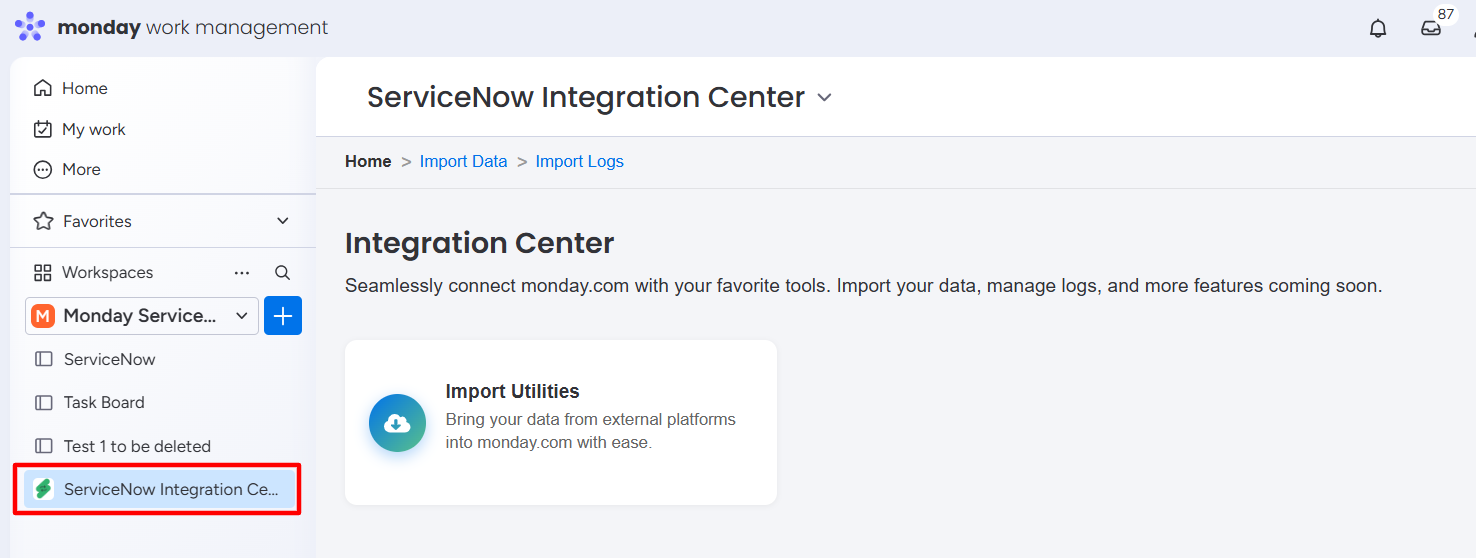
Import ServiceNow Incidents in Bulk
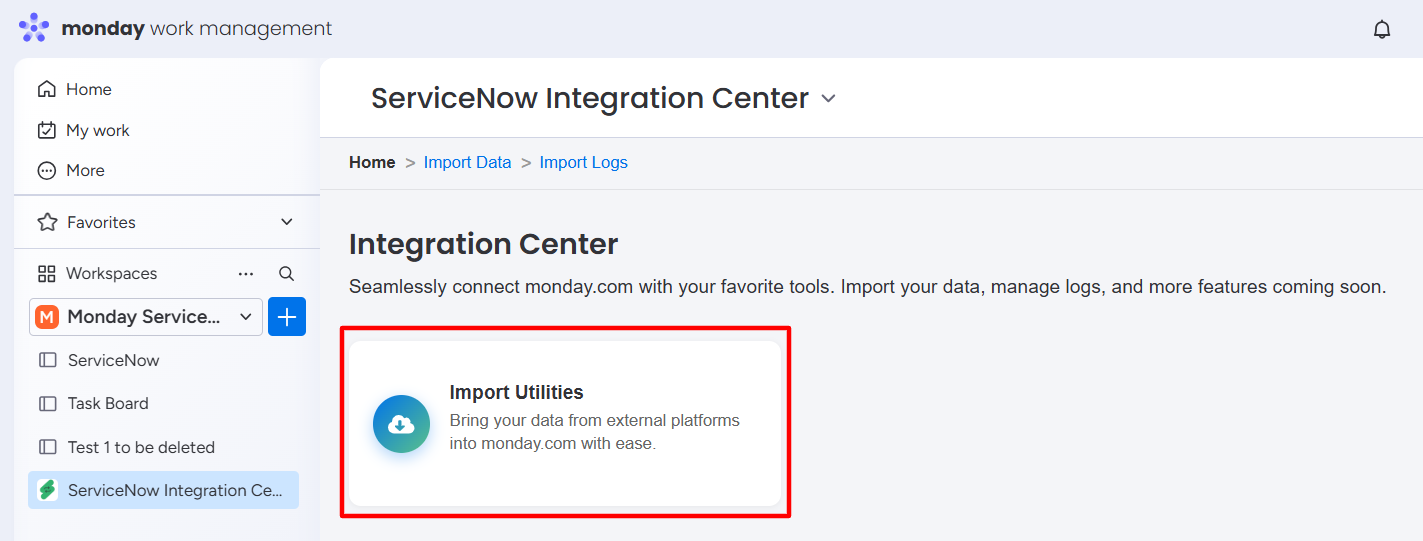
Step 1: Click on Import Utilities.
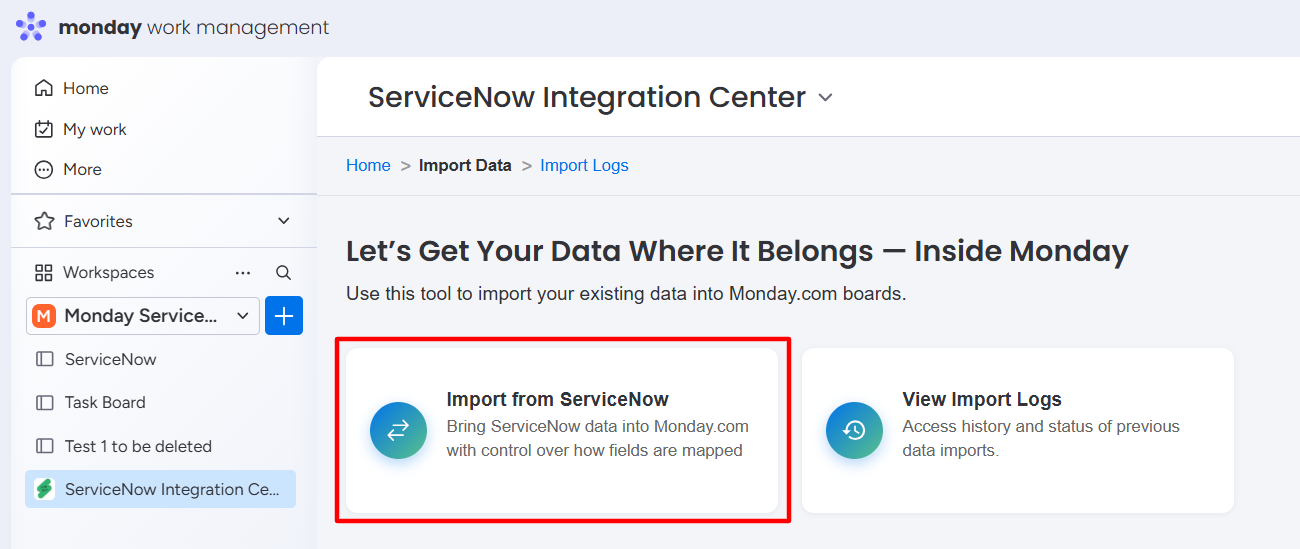
Step 2: Click on the Import from ServiceNow option.
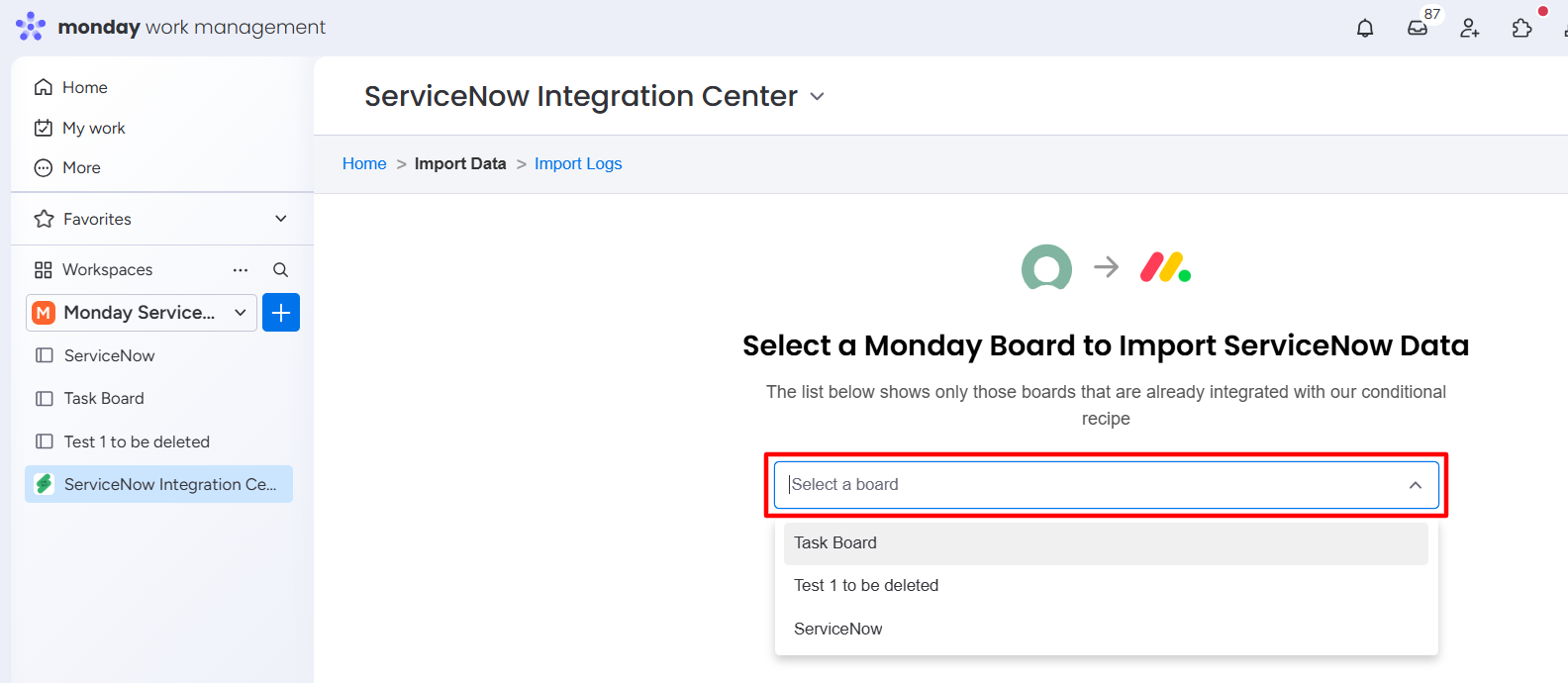
Step 3: Select the Board from the dropdown to import incidents.
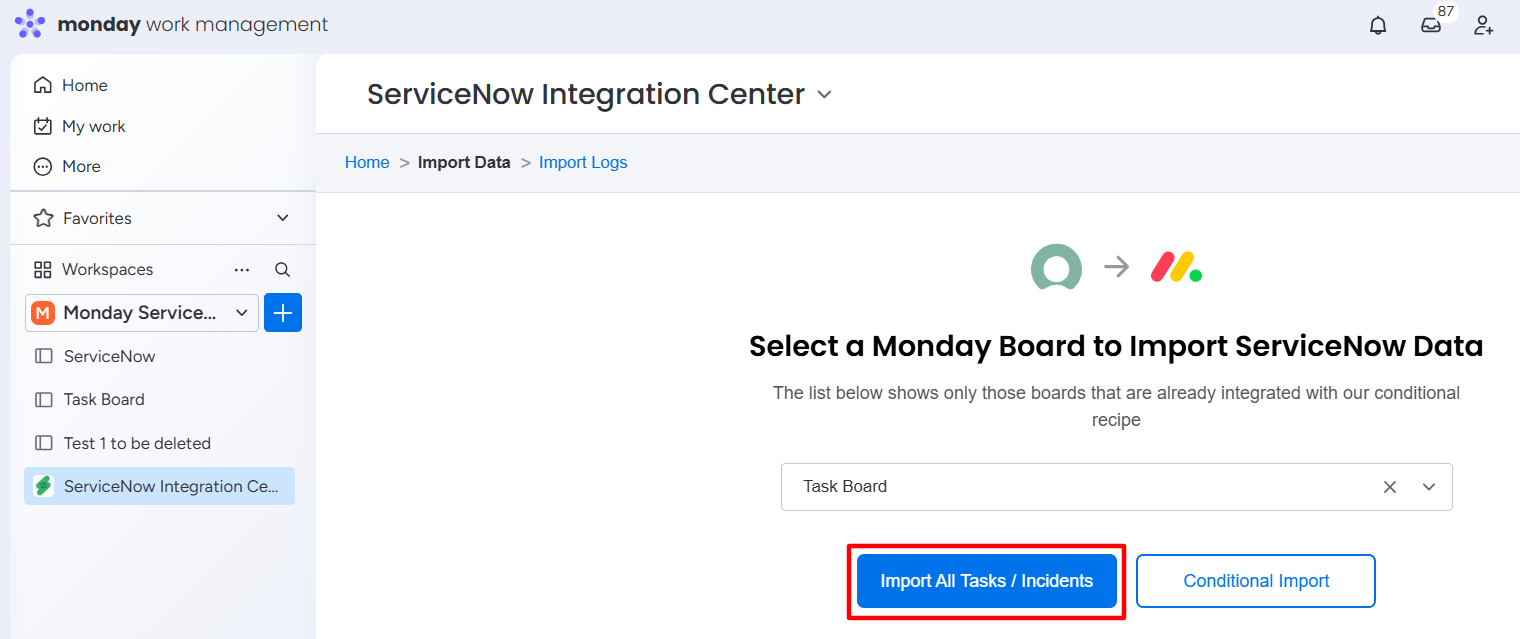
Step 4: Import All Tasks/Incidents or import the required Tasks/Incidents based on the condition.
Import All Tasks/Incidents
-
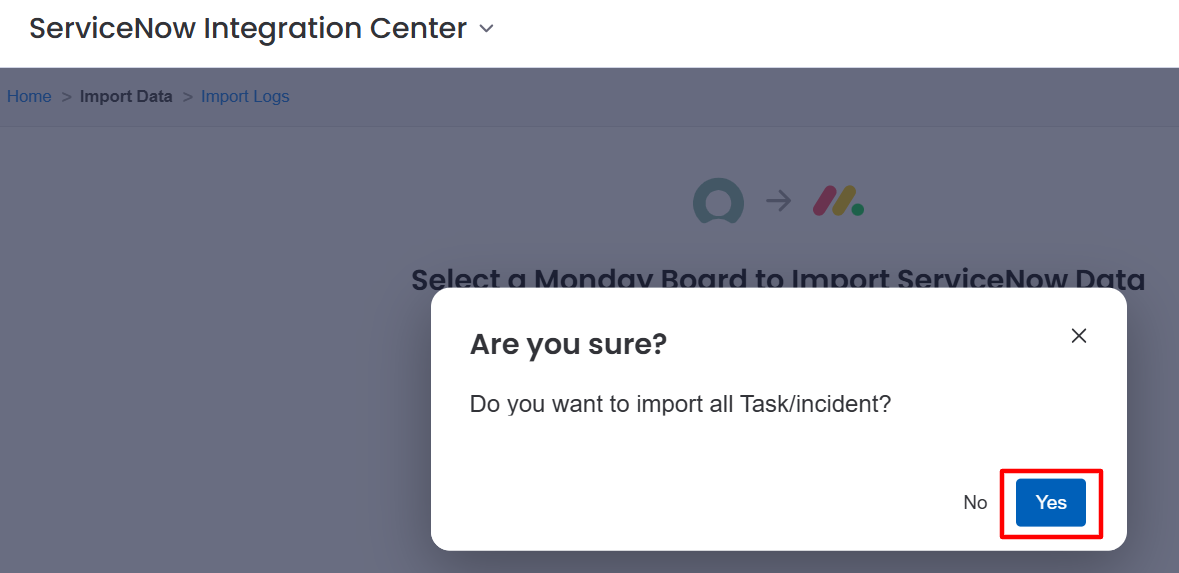
Click on the Import All Tasks/Incidents button.
-
Click on the Yes button to continue with the import process.
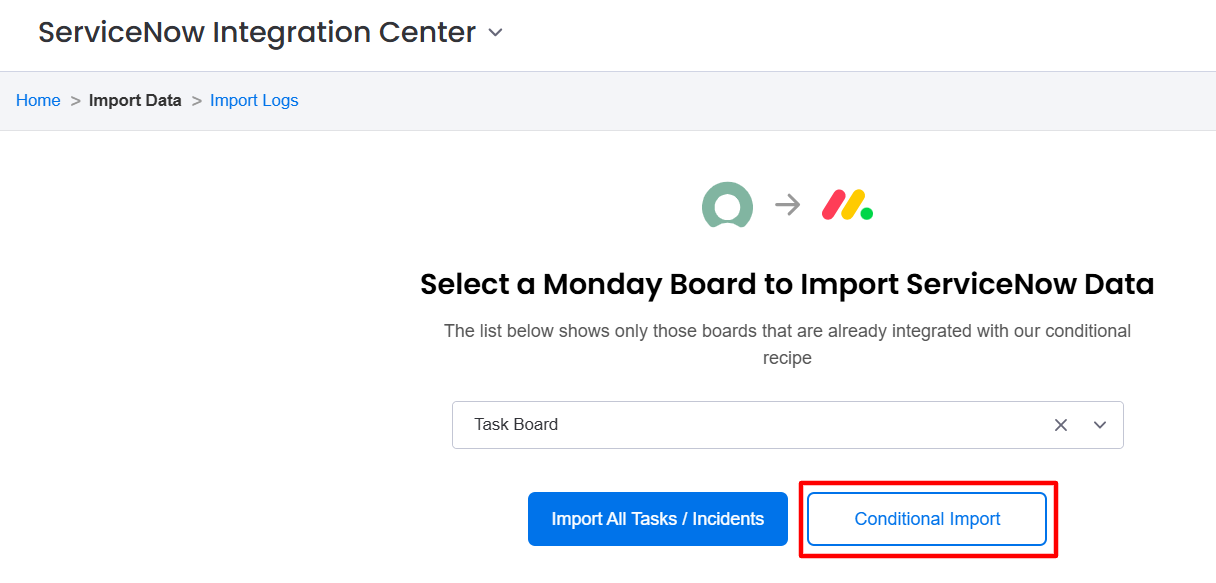
Conditional Import
-
Click on the Conditional Import button.
-
Click on the Yes button to continue with the import process.
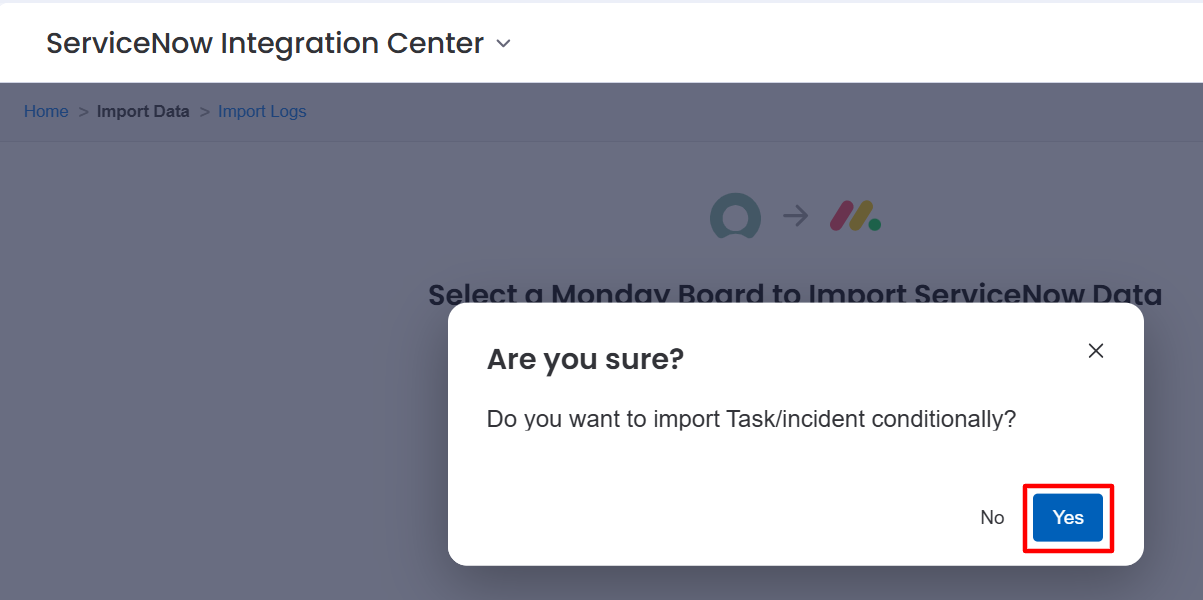
A success message appears, and work items are imported to the selected board.