

When integrating a ServiceNow Connector app with ServiceNow, you need to provide access permissions. This is necessary to ensure secure communication and seamless data exchange.
Here’s why OAuth Access is required:
-
Secure Access – ServiceNow Connector app needs permission to interact with ServiceNow while ensuring that only authorized users and systems can access your data.
-
Data Synchronization – Granting access allows real-time syncing of Incidents, Tasks, and other records between ServiceNow and monday.com.
-
Automated Workflows – Integration enables automation, reducing manual effort in tracking and managing ServiceNow records within monday boards.
-
API Communication – The app connects to ServiceNow using APIs, requiring access to retrieve, update, or create records.
-
Controlled & Compliant Sharing – Access is managed through secure authentication methods (such as OAuth), ensuring compliance with security policies.
Follow the steps below to enable third-party application access via OAuth:
Step 1: Log in to your ServiceNow account.
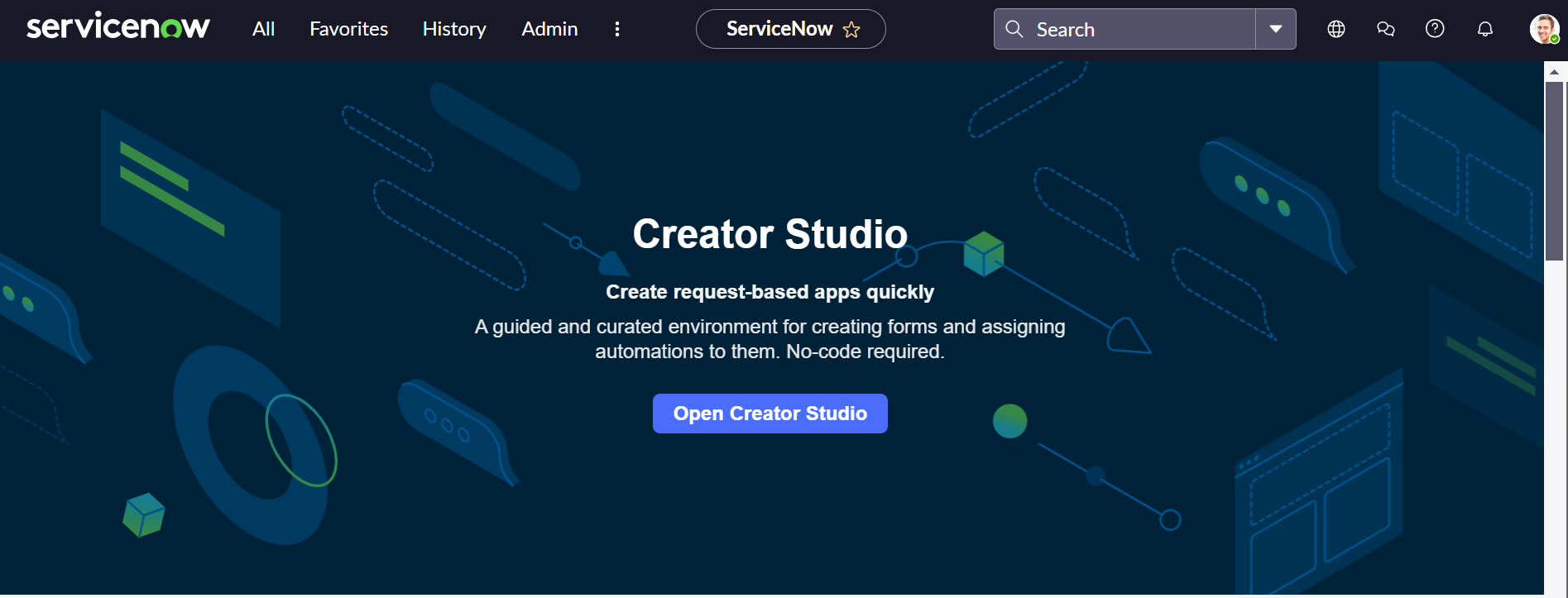
Provide third-party application access using Application Registry to connect ServiceNow and the monday platform.
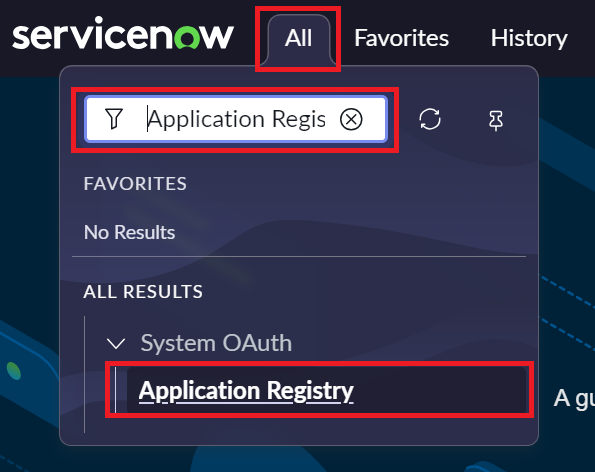
Step 2: Click on All and search Application Registry. Click on Application Registry.
Step 3: Click on New.

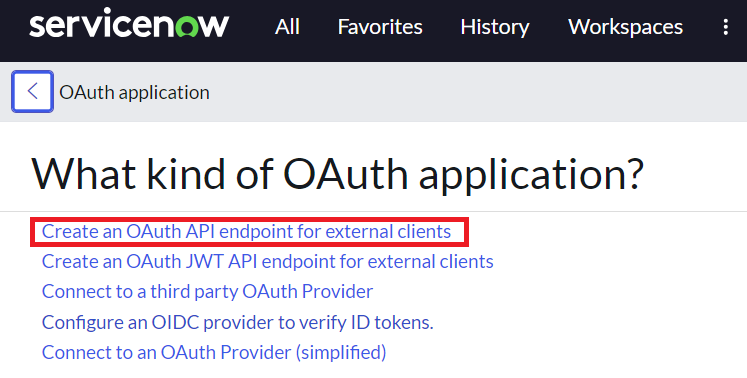
Step 4: Select Connect an OAuth API endpoint for external clients option.
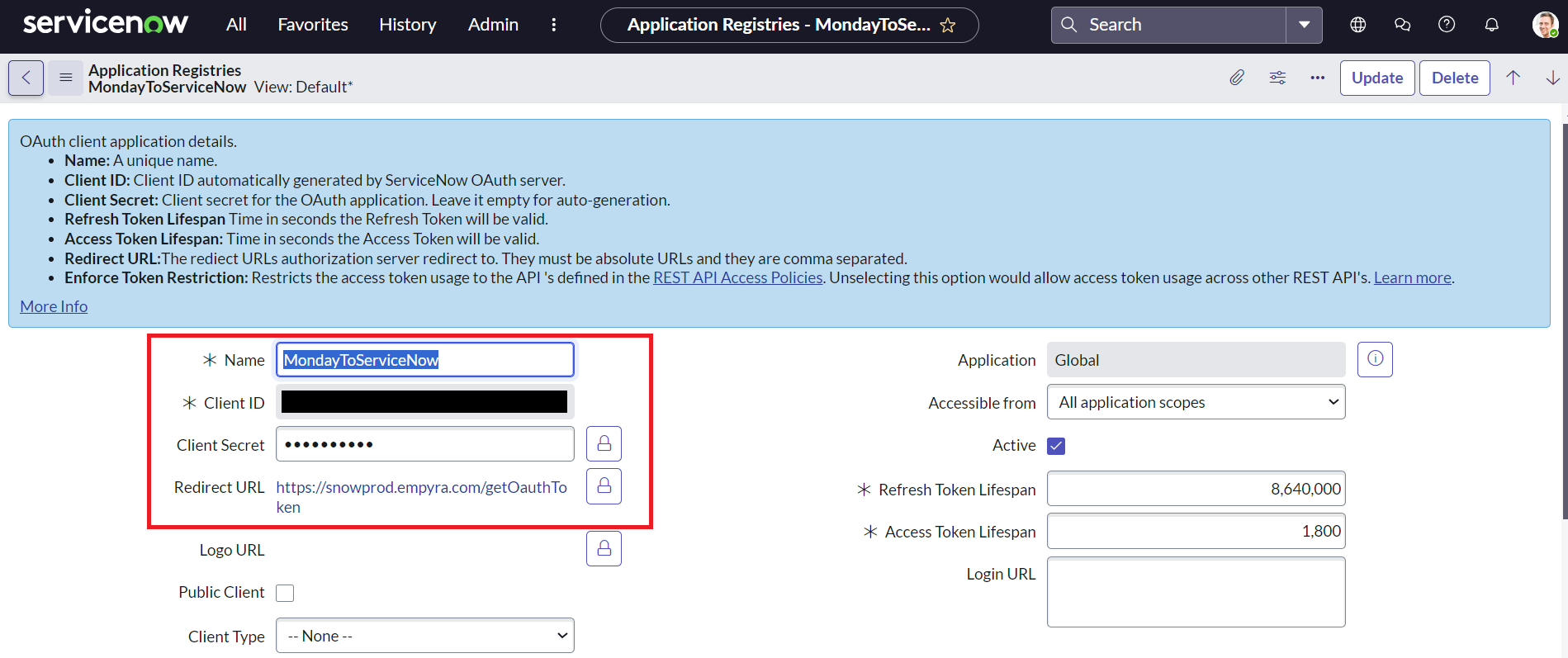
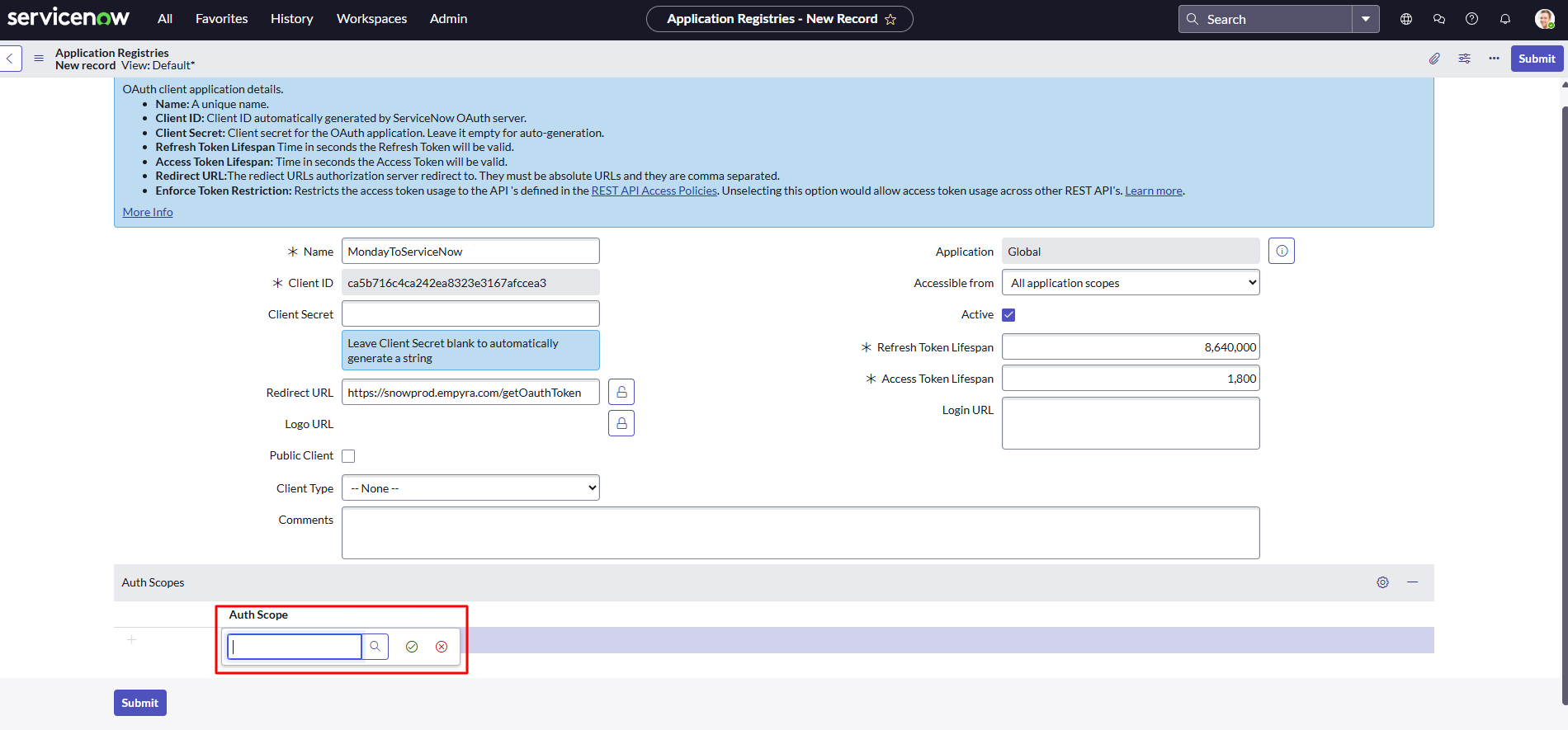
Step 5: Add the details for the fields below.
-
Name
-
Redirect URL - https://snowprod.empyra.com/getOauthToken
-
Client ID is generated automatically.
-
Client Secret is generated automatically upon submission.
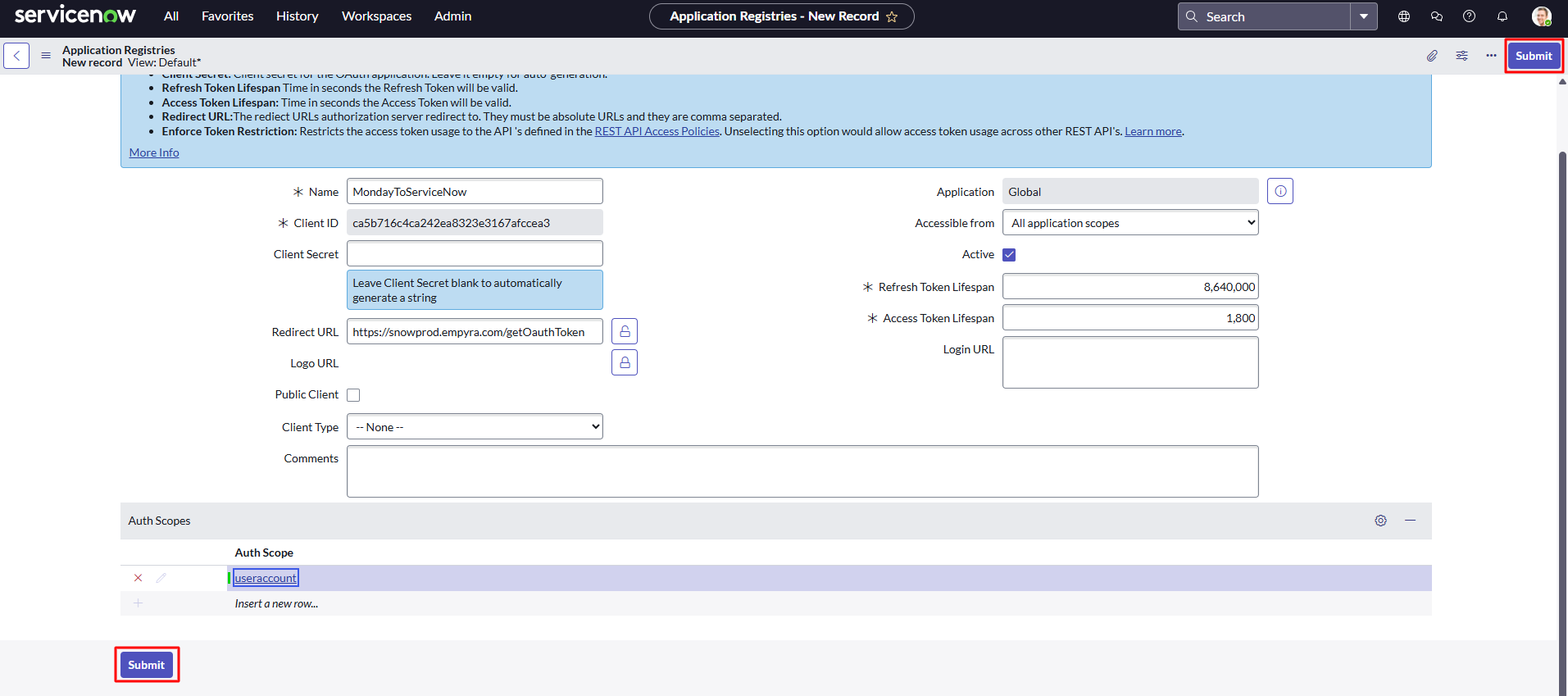
Step 6: Click Auth Scope and add a user account.
Step 6: Click on Submit.
By granting access, you ensure that the integration functions smoothly while keeping your data secure and under control.