

Automation rules enable real-time data sync across monday boards. Add workflows to your LookupSync workspace to set up seamless automation between the Source Board and Target Board, ensuring synchronized data updates for items and sub-items.
Follow the steps below to create the lookup sync workflow:
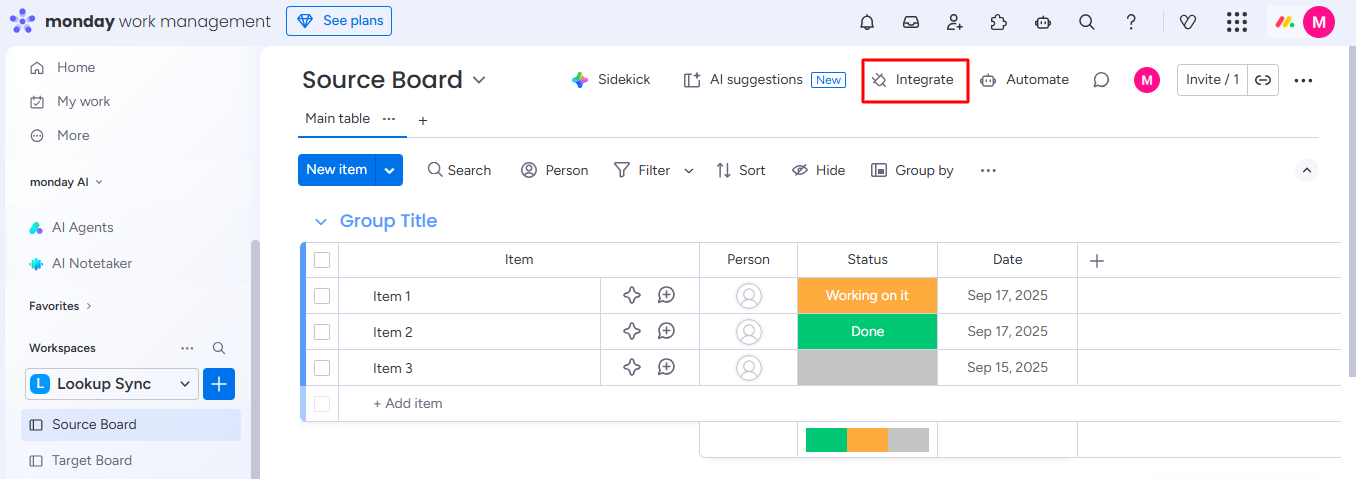
Step 1: Go to your source board and open the Integrate section.
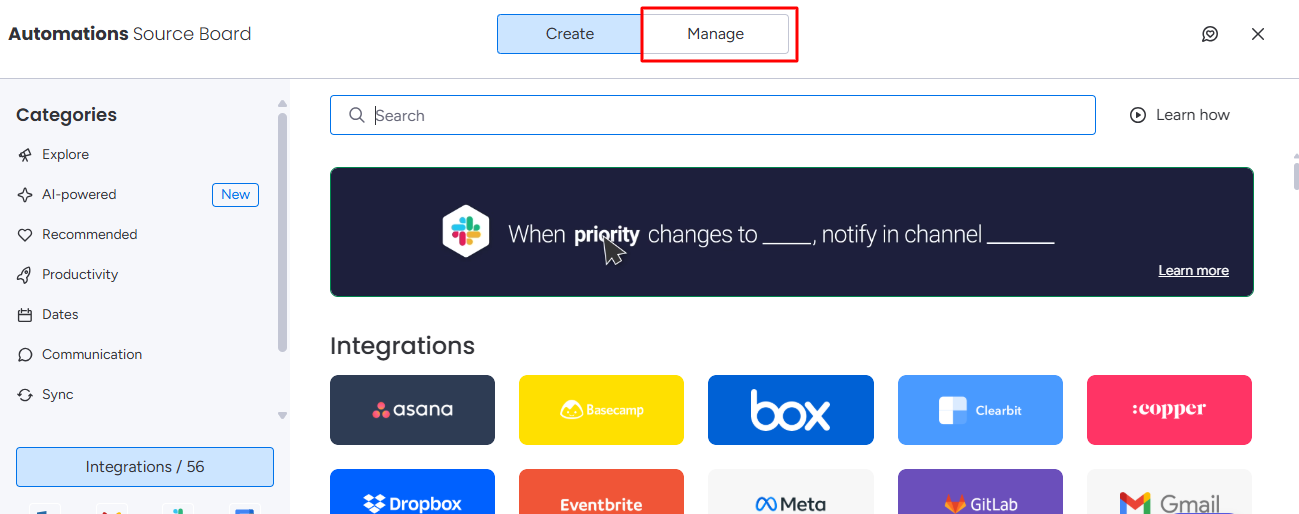
Step 2: Open the Manage section.
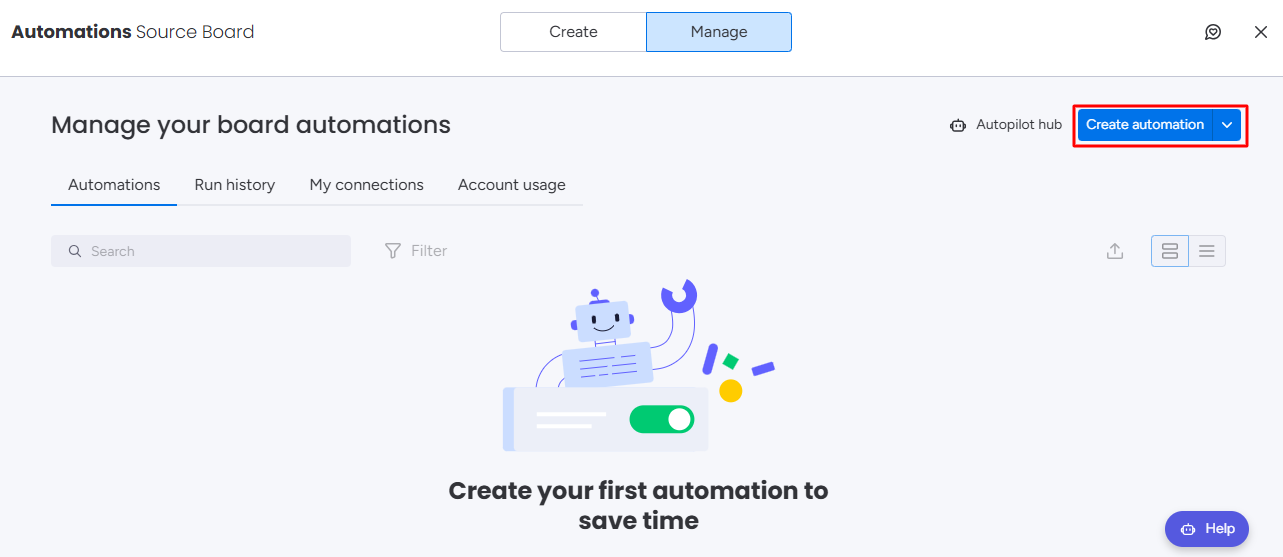
Step 3: Click on Create automation.
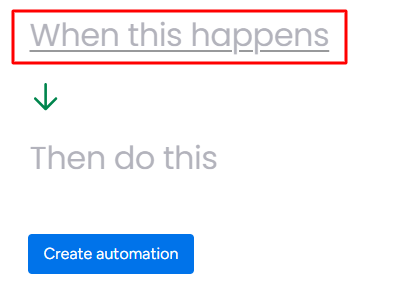
Step 4: Click on the When this happens field.
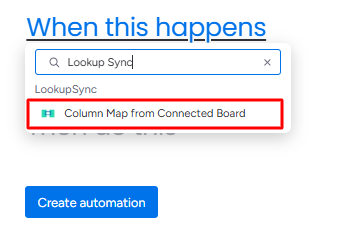
Step 5: Search for Lookup Sync automations and select Column Map from Connected Board automation.
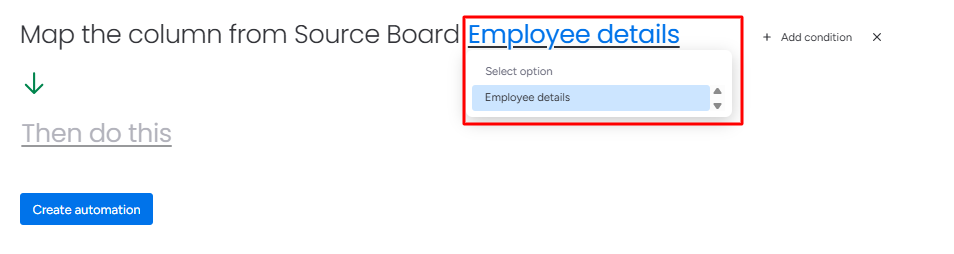
Step 6: Click on the Source Board field and select your source board.
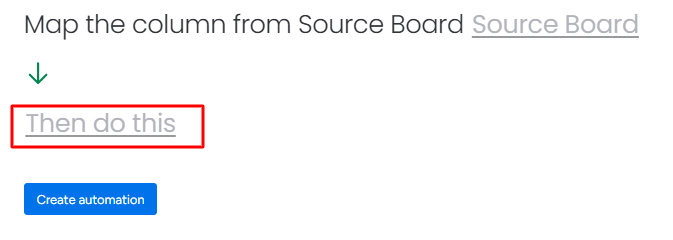
Step 7: Click on Then do this field.
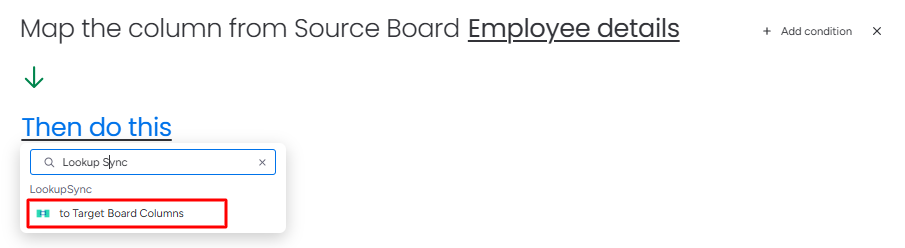
Step 8: Search for Lookup Sync automations and select to Target Board Columns automation.
Step 9: Click the Create automation button.
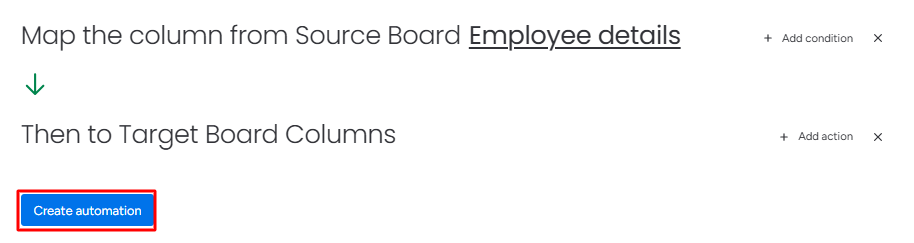
Webhooks will be added to the automation center.