

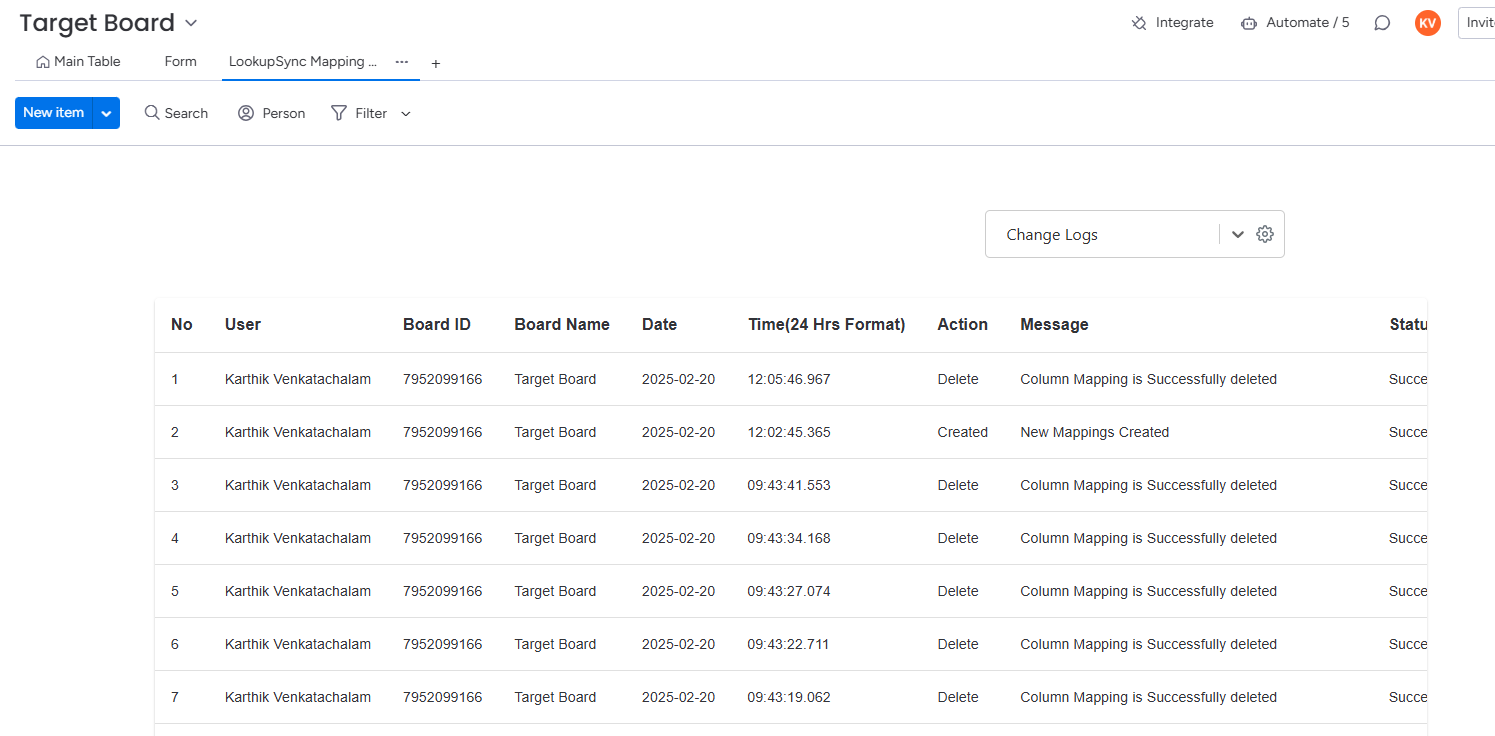
The Change Log feature in the Lookup Sync app provides a detailed record of all actions performed lookup and sync process. This feature is designed to enhance accountability and ensure a clear understanding of all modifications by logging the following key details:
The Change Log feature provides the following details:
-
User: Identifies the user who performed the action, making it easy to track responsibility.
-
BoardID: Records the unique ID of board when the change has happened.
-
Board Name: Display the board name where the change occurs.
-
Date and Time: Records the exact timestamp when the action occurred.
-
Action: Specifies whether the change involved creating a new record or updating an existing one.
-
Message: Displays relevant information or notes about the action, giving additional context for the change.
-
Status: Indicates the success or failure of the action, helping users quickly identify if the change was implemented as expected.
Follow the below steps to view the change logs:
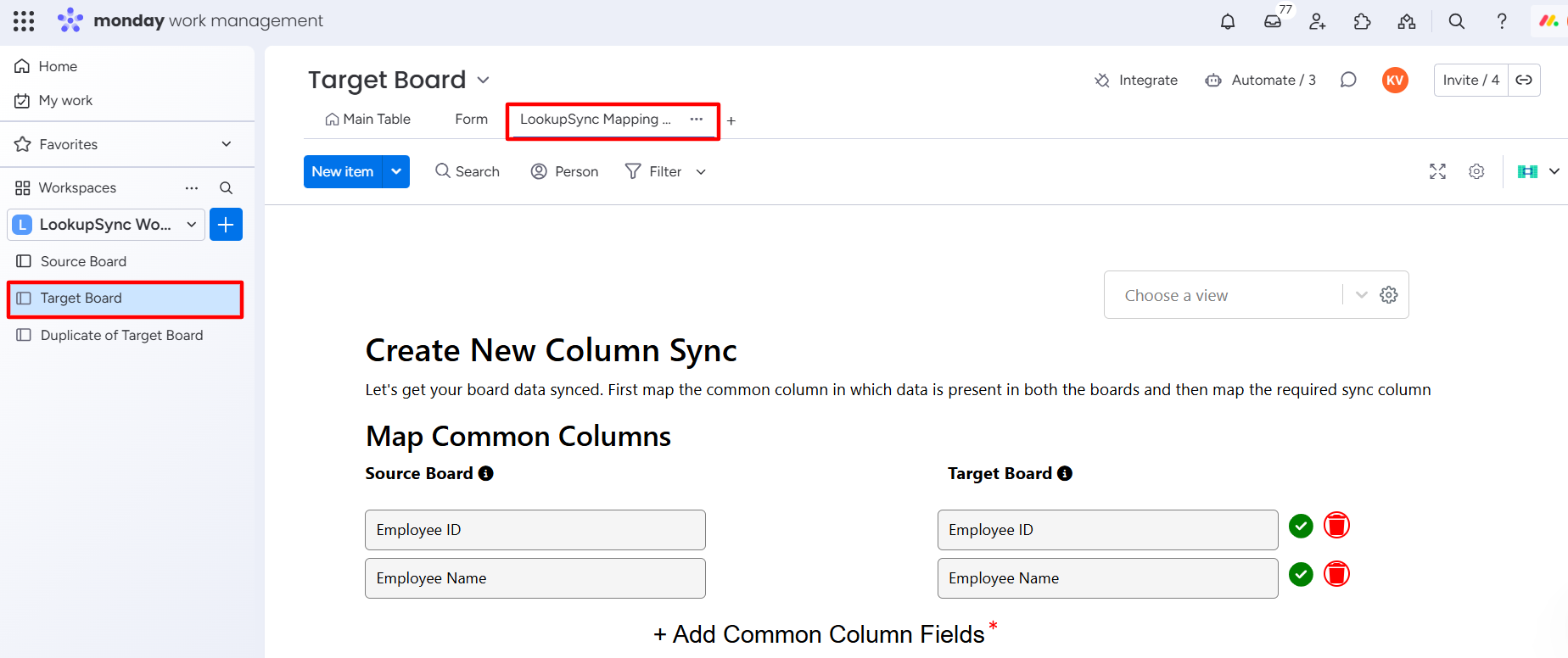
Step 1: Go to Target Board - > Go to Lookup Sync Mapping Editor tab.
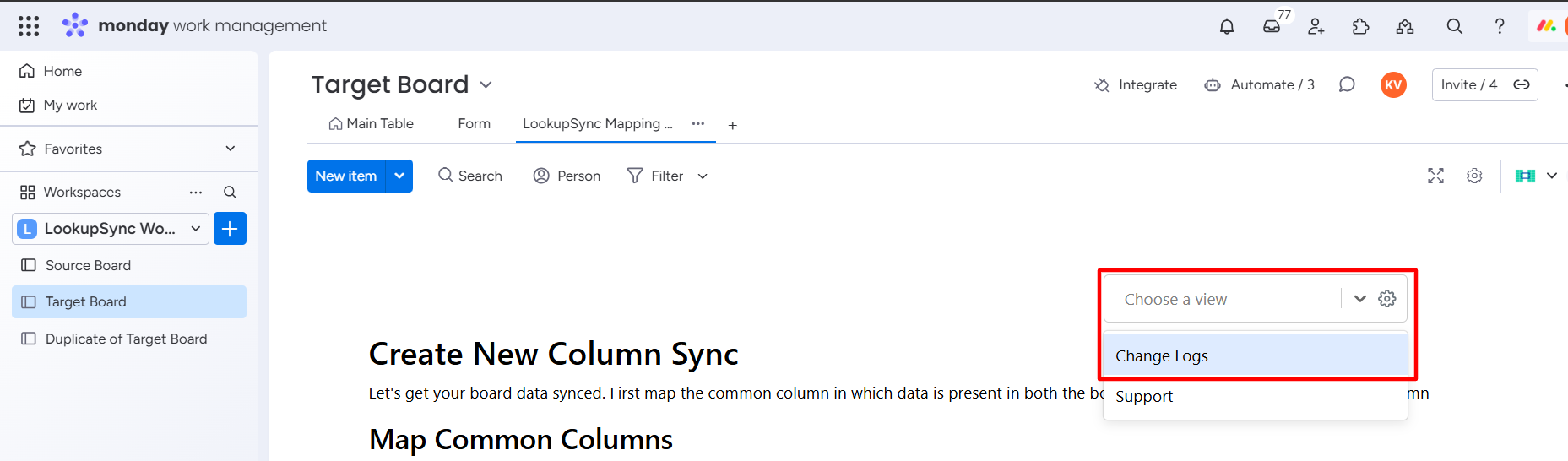
Step 2: Click the Choose a View dropdown and select the Change Logs option.
Change Logs window will appear.
With these comprehensive logs, the Lookup Sync app ensures full transparency, real-time insights, and improved traceability of changes, empowering teams to maintain data accuracy.