A Work Order is a record that represents a job or service request for field technicians. It typically includes details about the customer, the required service, and the assets involved.
Once users approve work requests, the tasks are moved to Work Orders. To complete these work orders, users must create and assign subtasks to the appropriate team members, ensuring that each aspect of the task is addressed and completed efficiently.
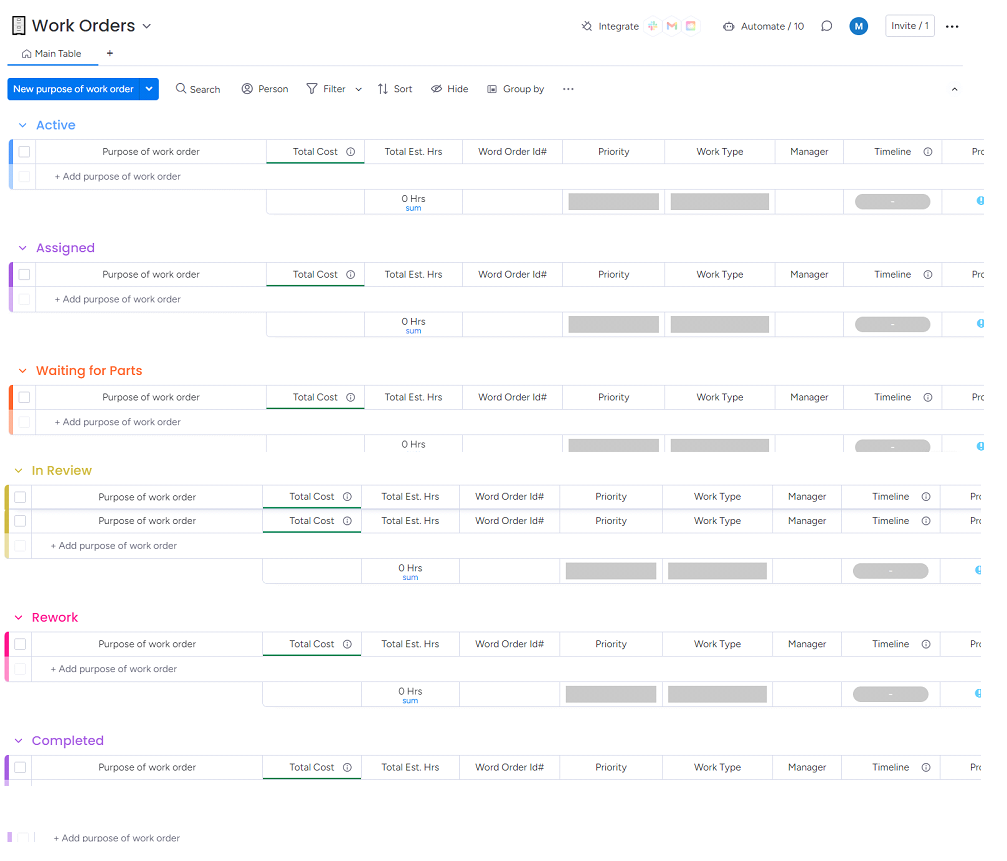
This feature includes the status of the work order in the below dedicated boards:
Active
Approved work requests are transferred to this board along with the associated work order details. Users can use this board to create and assign subtasks to the appropriate team members, facilitating efficient task management and ensuring the successful completion of work orders.
Assigned
This board displays all assigned work orders, including detailed information about each work order and the team members responsible for the completion of these work orders.
Waiting for Parts
This board showcases work orders that are currently in the parts procurement stage. It provides details on orders awaiting necessary parts, helping to track the progress and ensure timely completion of tasks once all required components are received.
In Review
Once the team completes the work orders, they will submit them for review. The work orders are then moved to this board for evaluation and final approval.
Rework
If rework is needed for any work order, it will be sent back to the responsible team. This board tracks and displays details of all work orders currently in the rework stage.
Completed
This board provides a list of all completed work orders, displaying detailed information about each finished task.