

The Physical Assets feature allows users to efficiently manage and track hardware and other tangible assets. Users can store detailed information for each asset, including purchase date, cost, manufacturer, and maintenance schedules. Additionally, QR codes can be generated for easy tracking and allocation of assets. This feature helps asset managers maintain visibility over all physical assets, ensuring that they are properly utilized, maintained, and replaced as needed.
This feature offers two distinct tabs for managing the Physical assets:
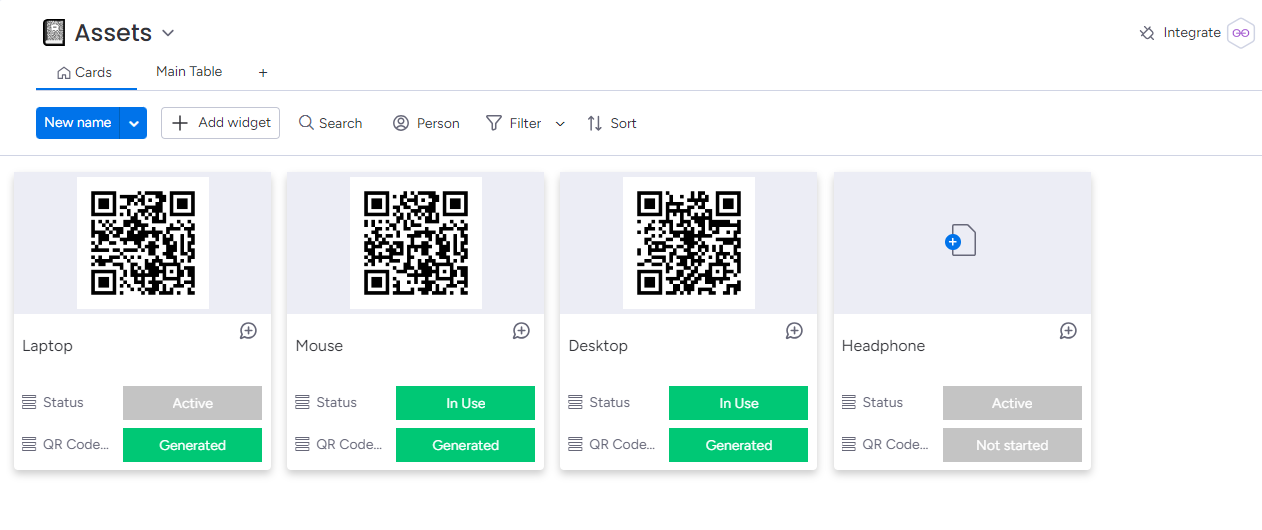
1. Cards : Displays Assets as Cards, providing a quick overview with details, including the asset name, QR code, asset status, and QR code status.
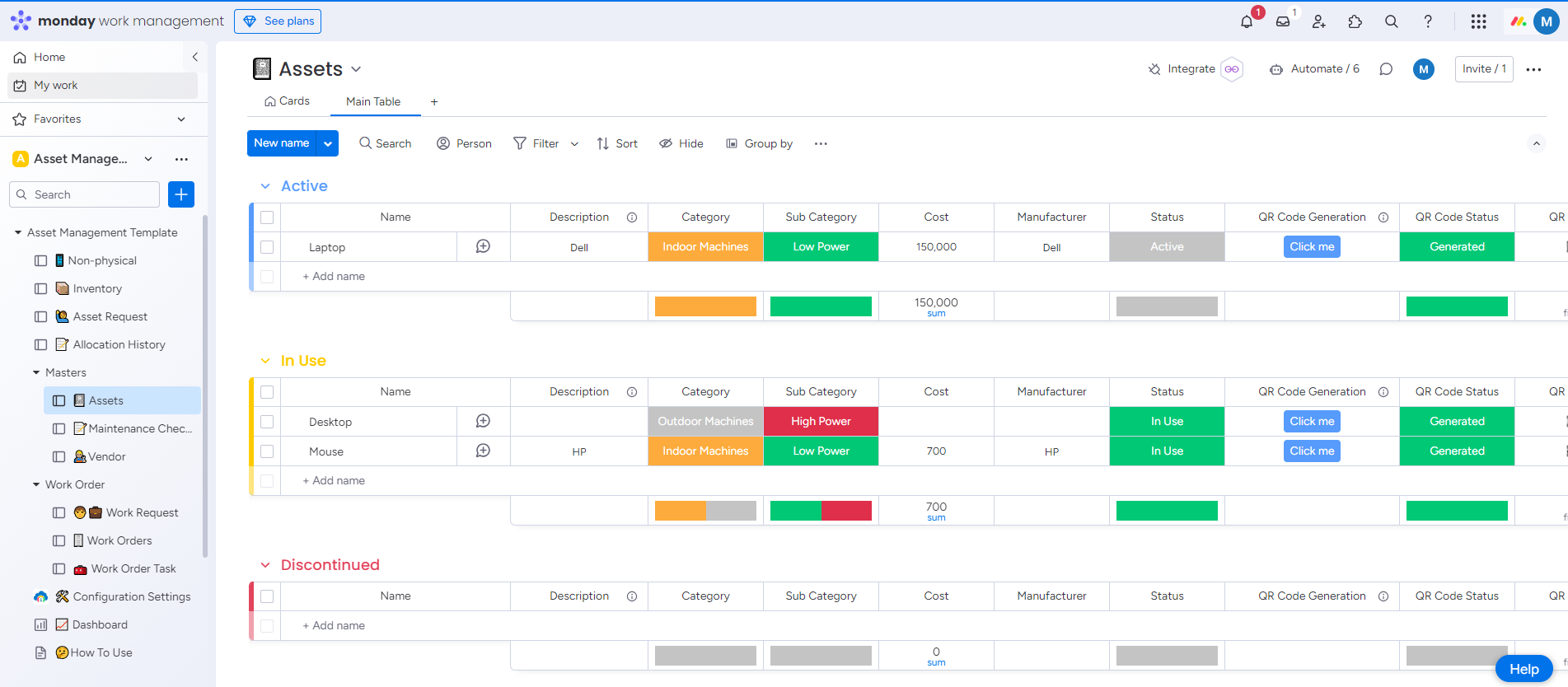
2. Main Table includes three dedicated boards:
Active
This board helps users list all active Physical assets, including details such as asset name, description, cost, manufacturer information, QR code, asset image, last maintenance date, and the next maintenance due date.
In Use
This board provides a clear visibility into which Physical assets are actively in use with other details.
Discontinued
It provides a clear overview of assets no longer part of the active assets, helping organizations make informed decisions about asset replacement, disposal, or repurposing.
Import Physical Assets From Excel File
Generate QR Code for Physical Assets